Part II: Pragmatic Solutions and Best Practices

Save time, reduce errors, and work more efficiently in teams

Friedrich Pahlke

September 8, 2025

Welcome to Part II

Pragmatic Solutions and Best Practices

Motivation

  • Write clear, reliable R scripts for real projects (not package dev)
  • Save time on maintenance
  • Reduce errors
  • Make teamwork smoother and simplify handovers
  • Leave with online rescources that help to deepen the topic

Who is this for?

  • Statisticians writing R scripts, e.g., for clinical trial planning & analysis
  • People who collaborate in teams and hand over code
  • You don’t need to be a software engineer to benefit

The reality we all know

  • Tight timelines, changing specs, handovers
  • Old scripts reused under pressure
  • “I’ll clean this later” — later never comes
  • Result: time loss, bugs, stress

GitHub From the Beginning

GitHub tells the whole story of your project
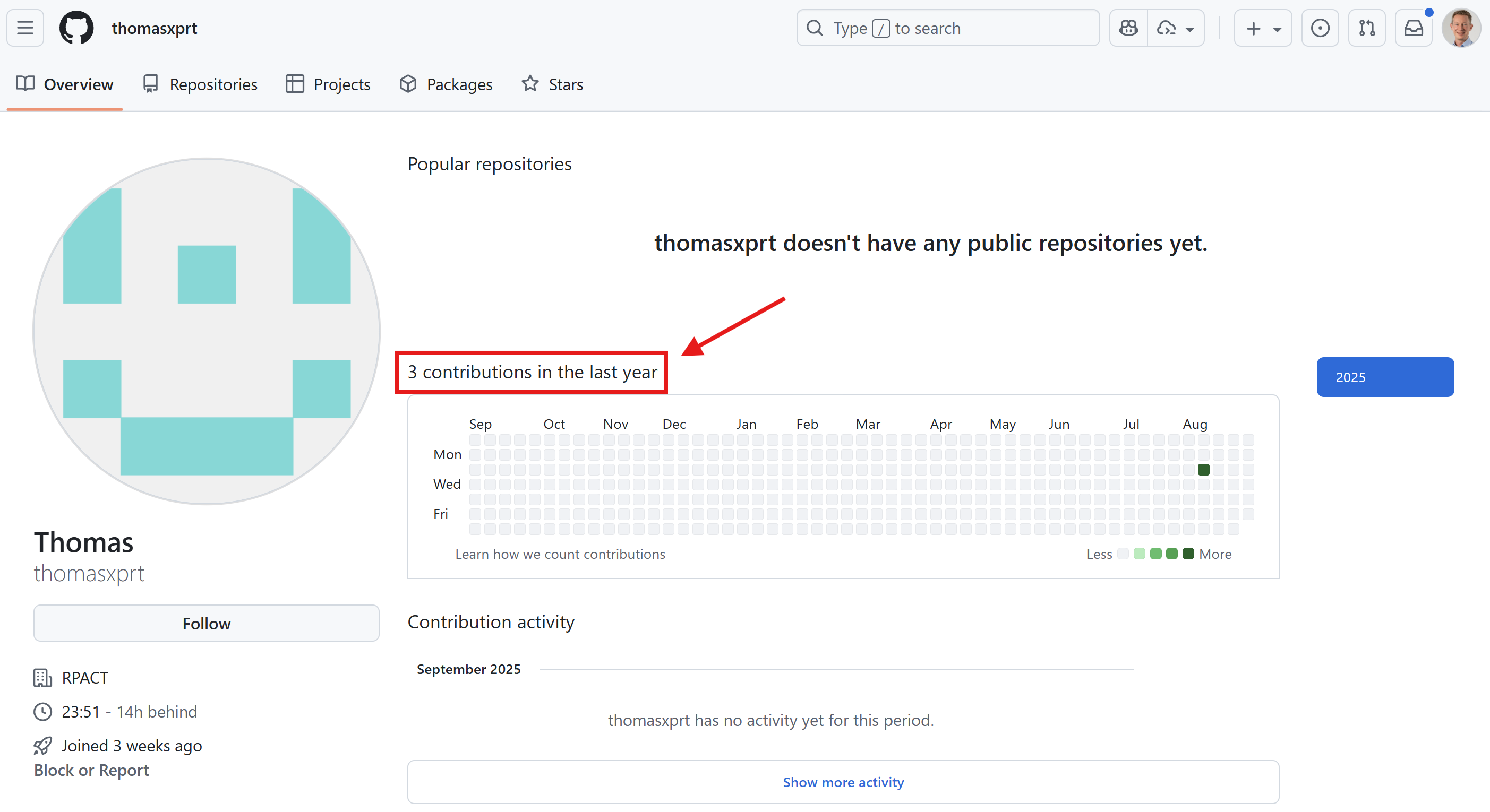
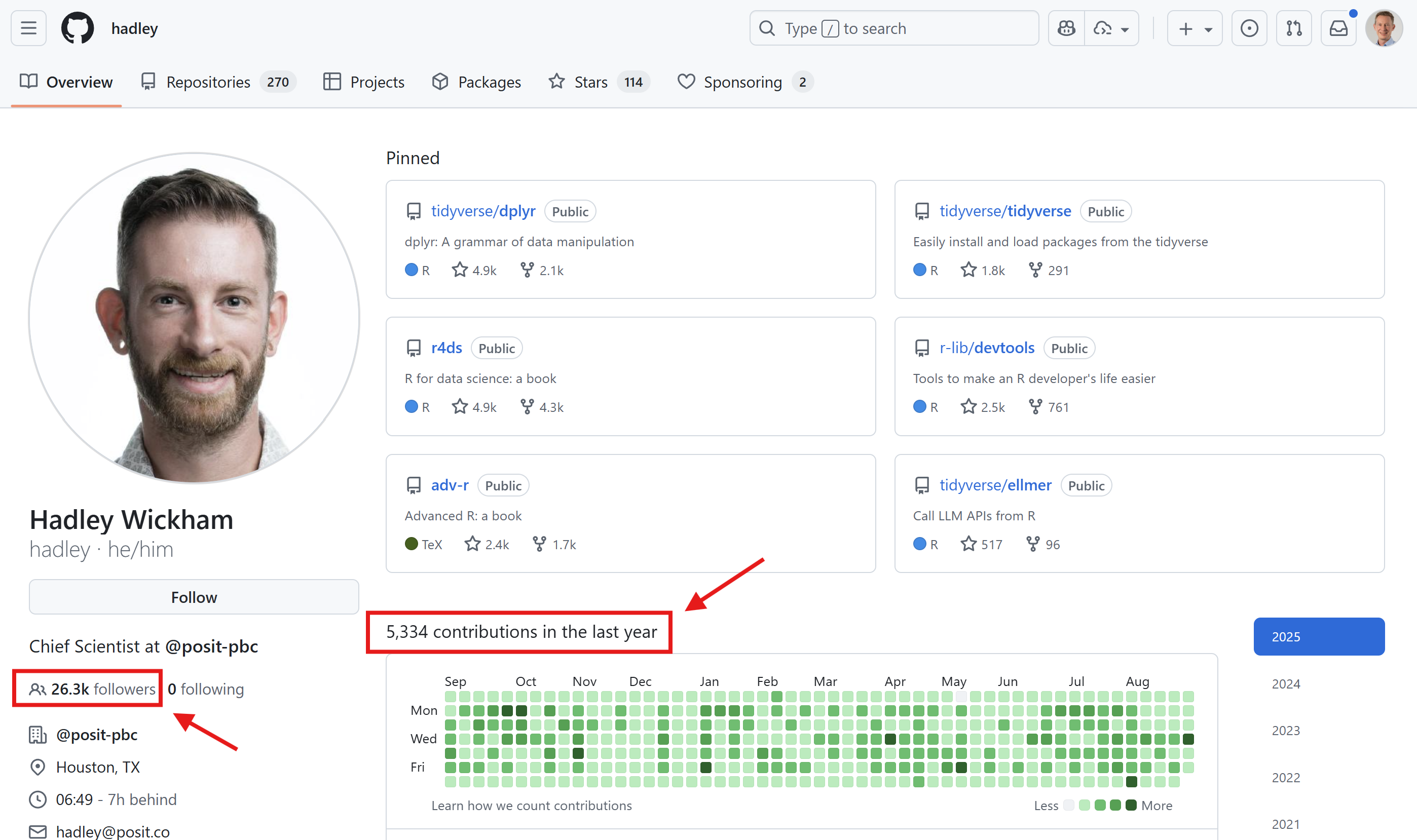
GitHub as your business card

  • GitHub as your business card and career showcase
  • Who would you hire?

Fictive example: Clinical trial analysis

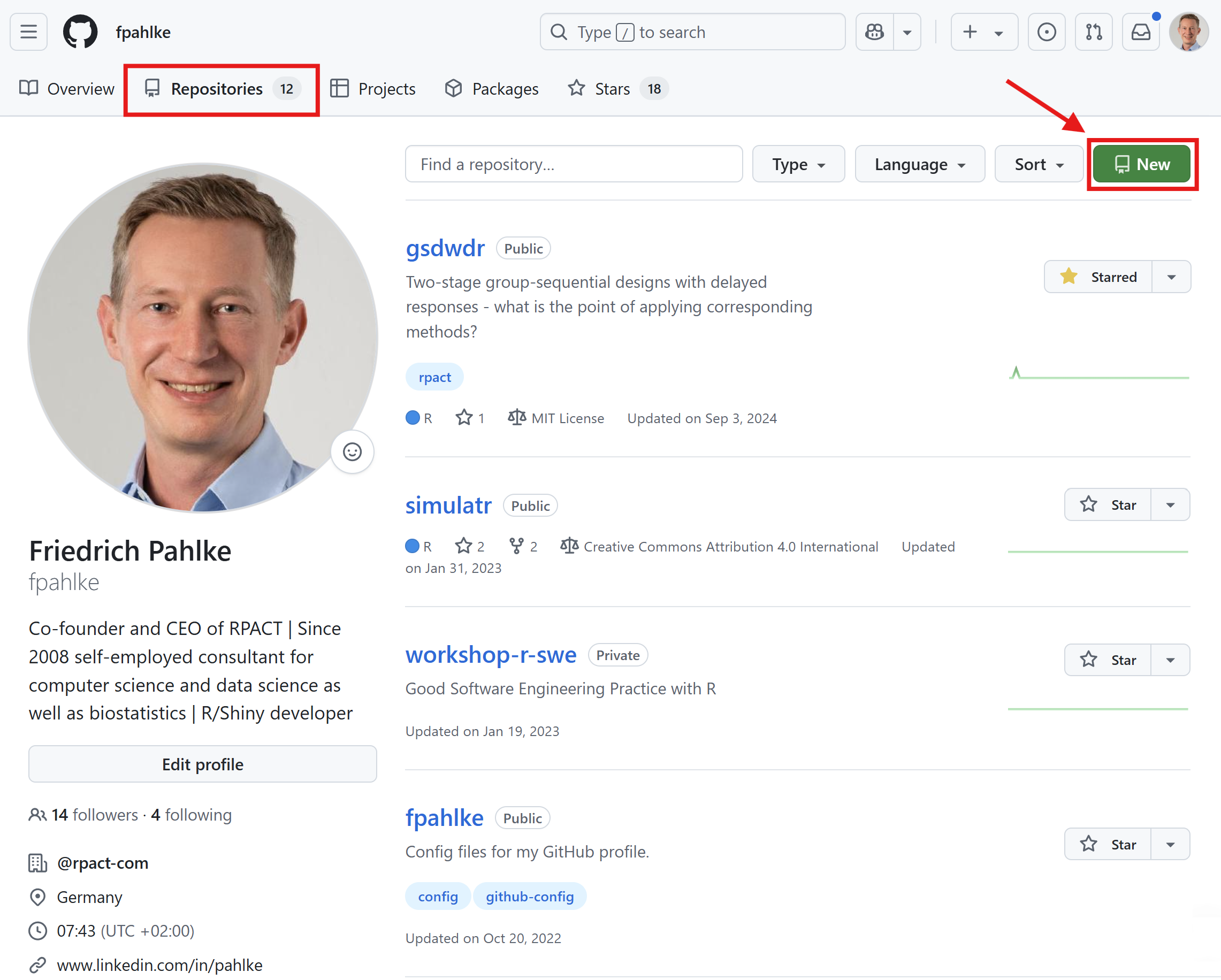
Let’s use GitHub

Create a new repository on GitHub, clone it to your local machine, and add a README.md file with a brief description of your project.
TortoiseGit

Windows context menu for GitHub: TortoiseGit

Download TortoiseGit

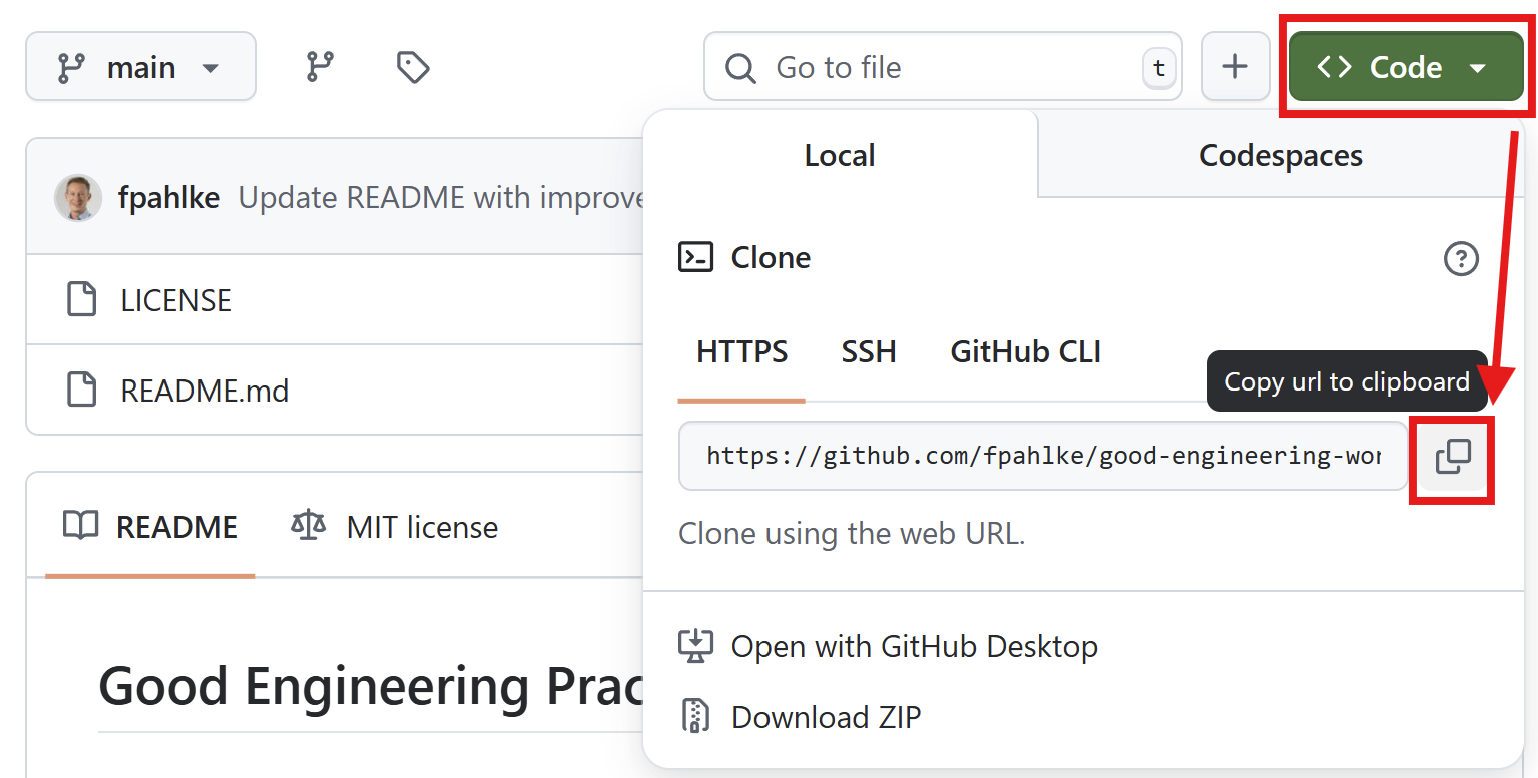
Copy URL to clipboard

Clone GitHub repository

GitHub Desktop

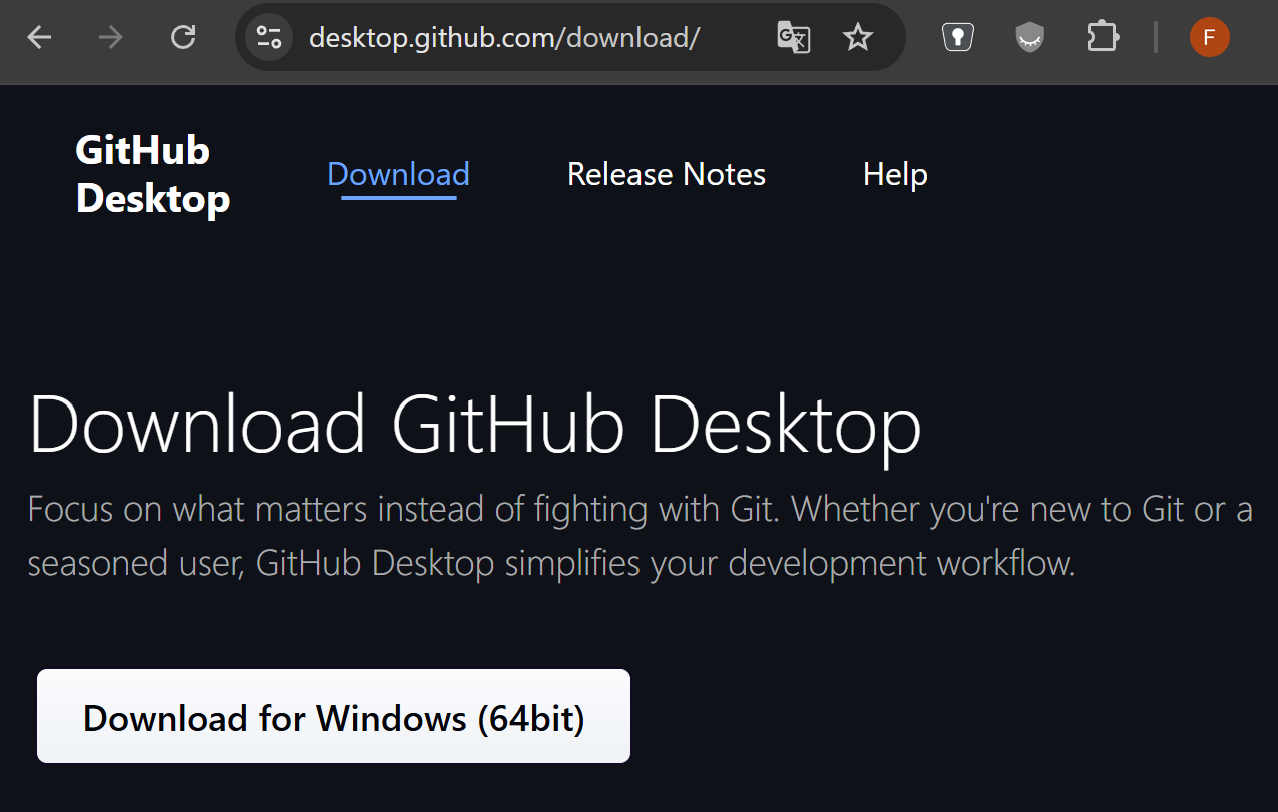
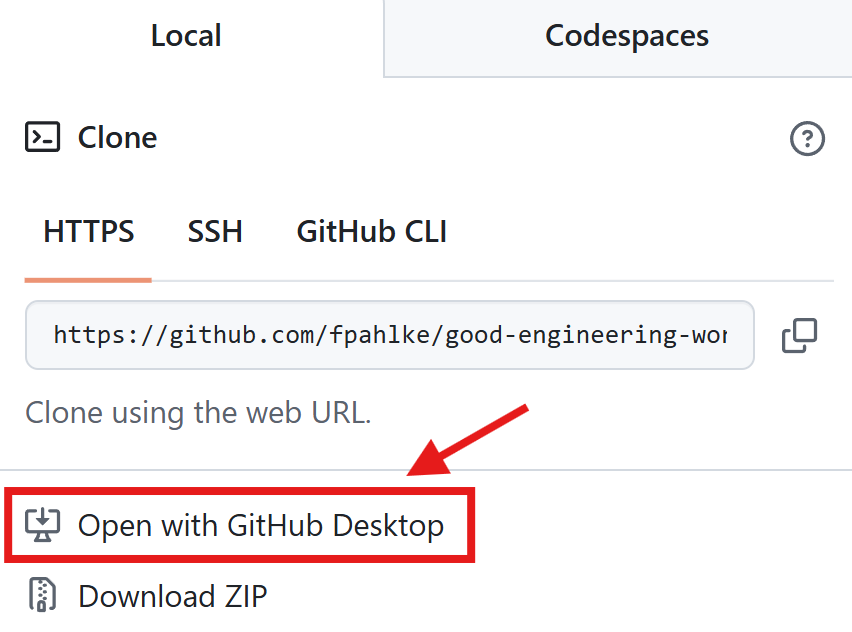
GitHub Desktop App

Download GitHub Desktop

Open with GitHub Desktop

Other GitHub Apps

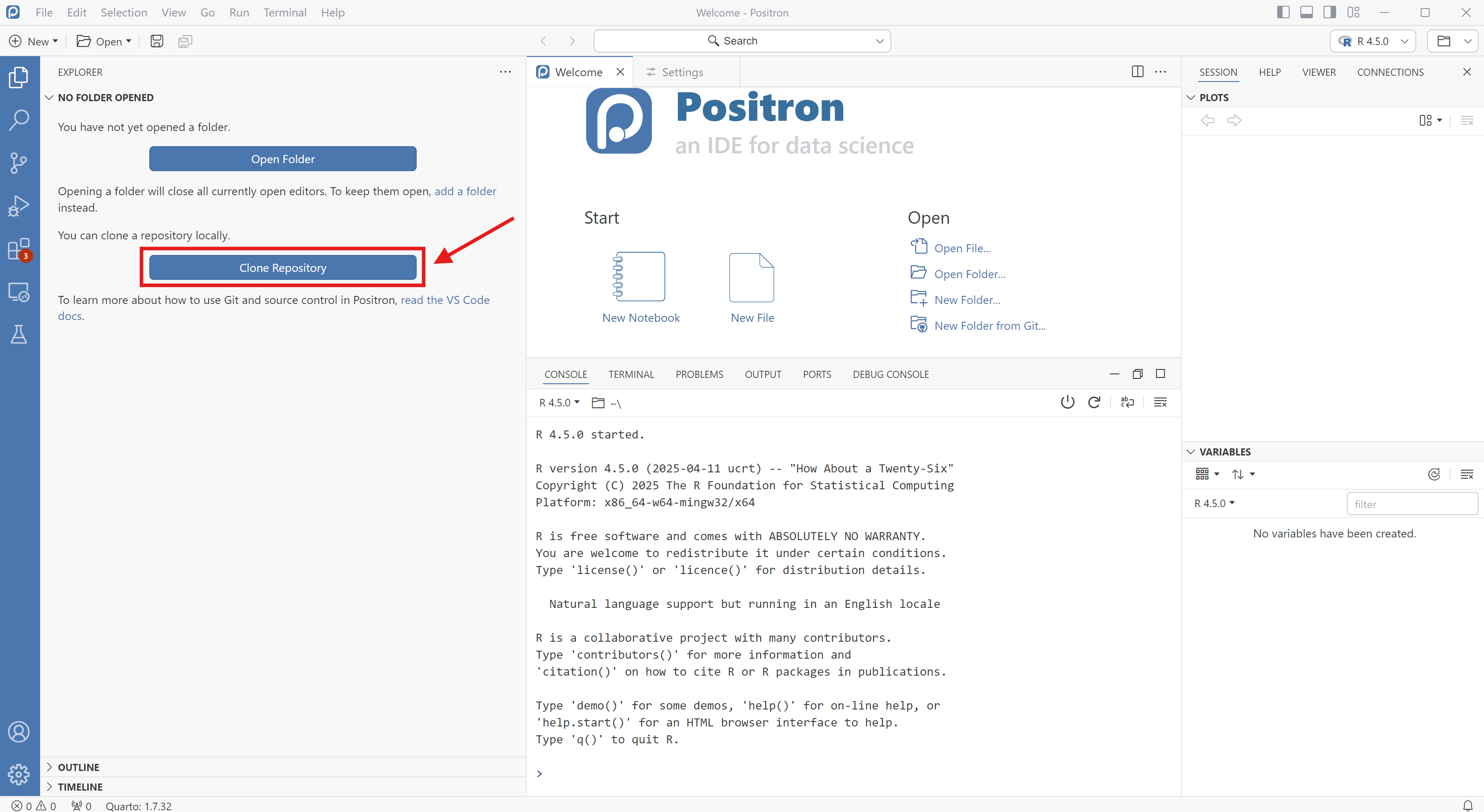
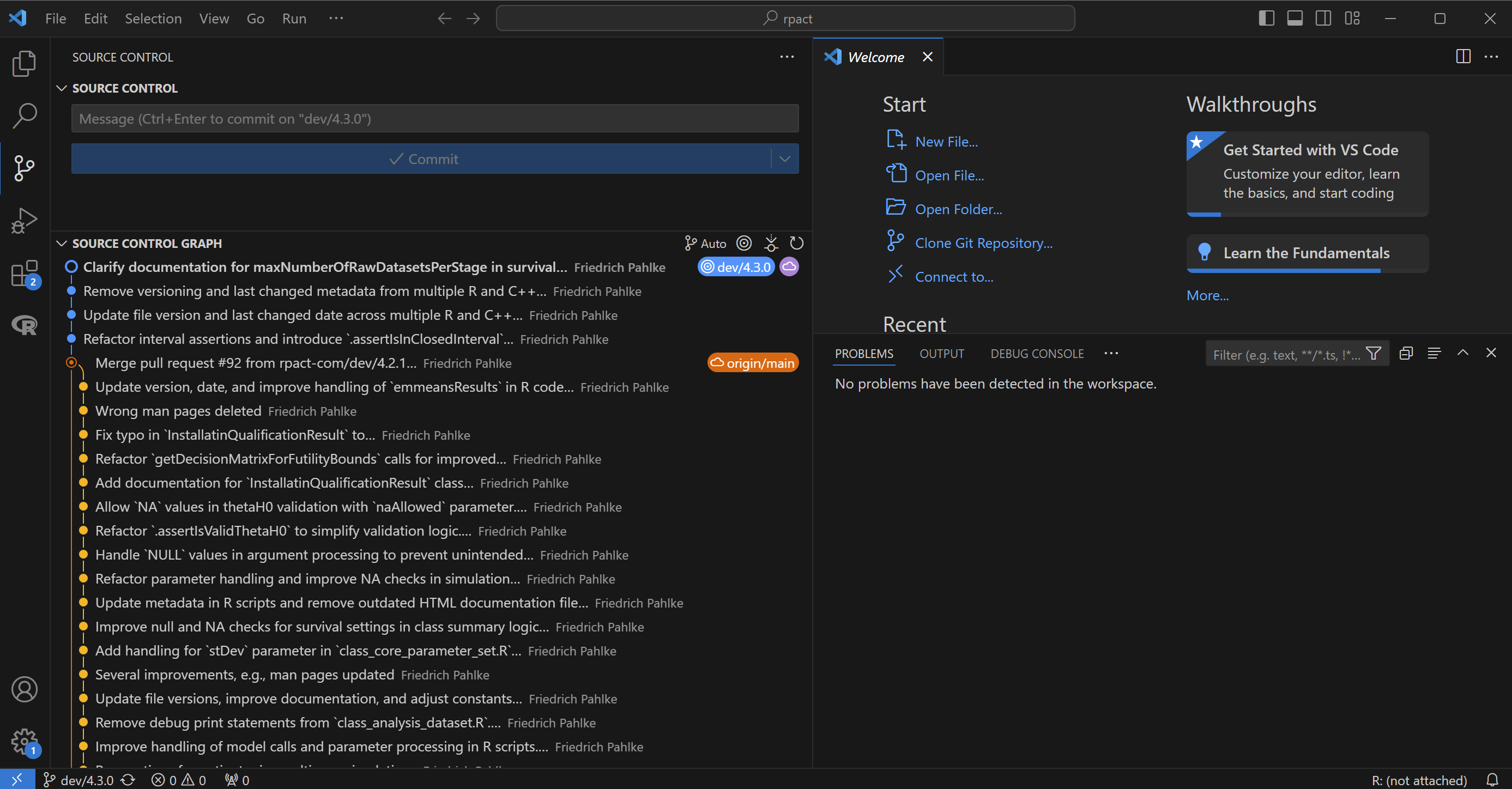
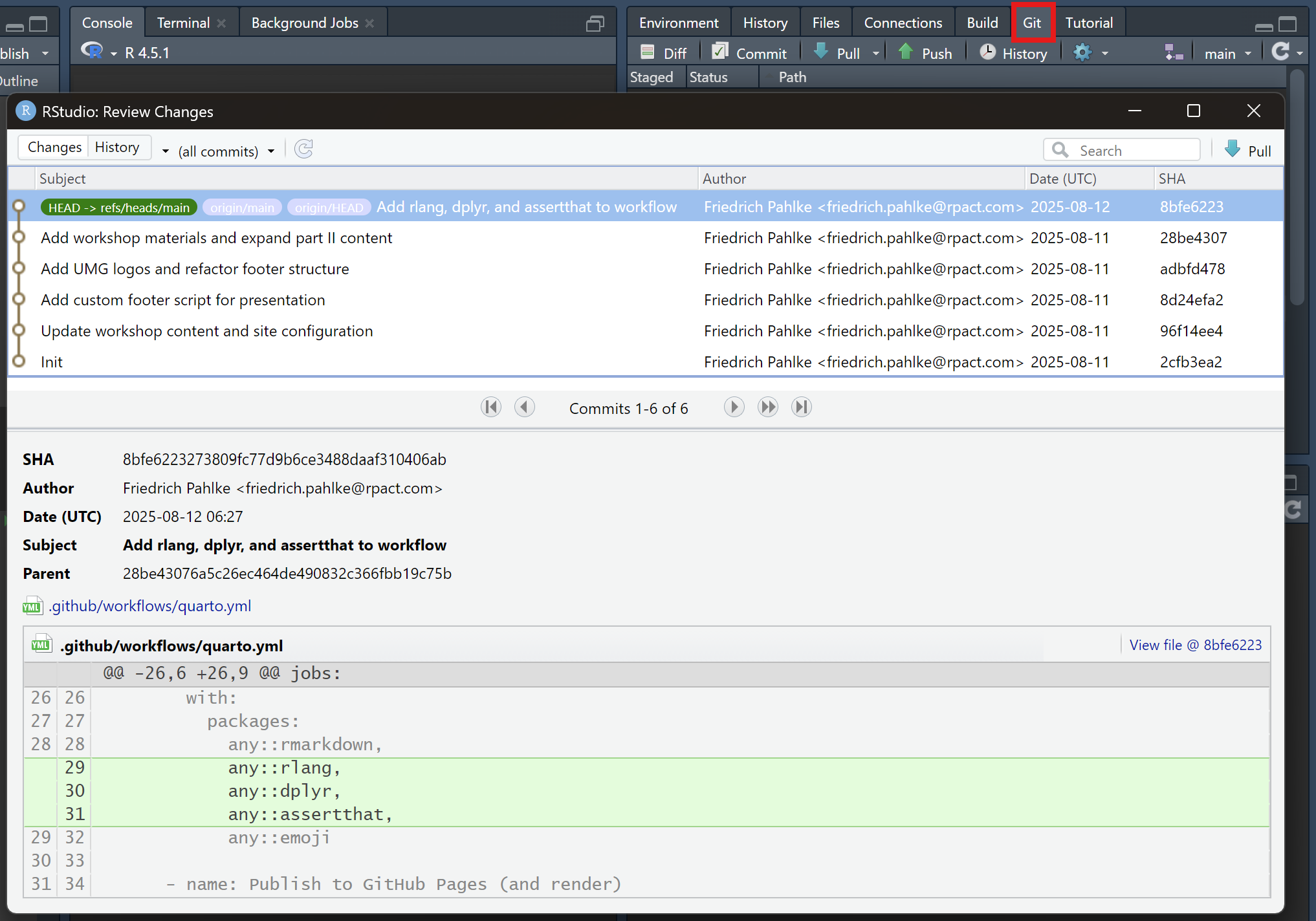
Many other ways to use GitHub: Eclipse, Positron, VS Code, RStudio, …
One branch per developer

  • Each developer works on his own branch(es)
  • Each branch is merged into main only after review
  • main is always stable, ready for production
  • Let’s say we have 2 developers: thomas, friedrich
  • Friedrich’s job is it to program a new R script and learn how to apply the principles and patterns of this workshop
  • Thomas is responsible for the code review and instruction of Friedrich

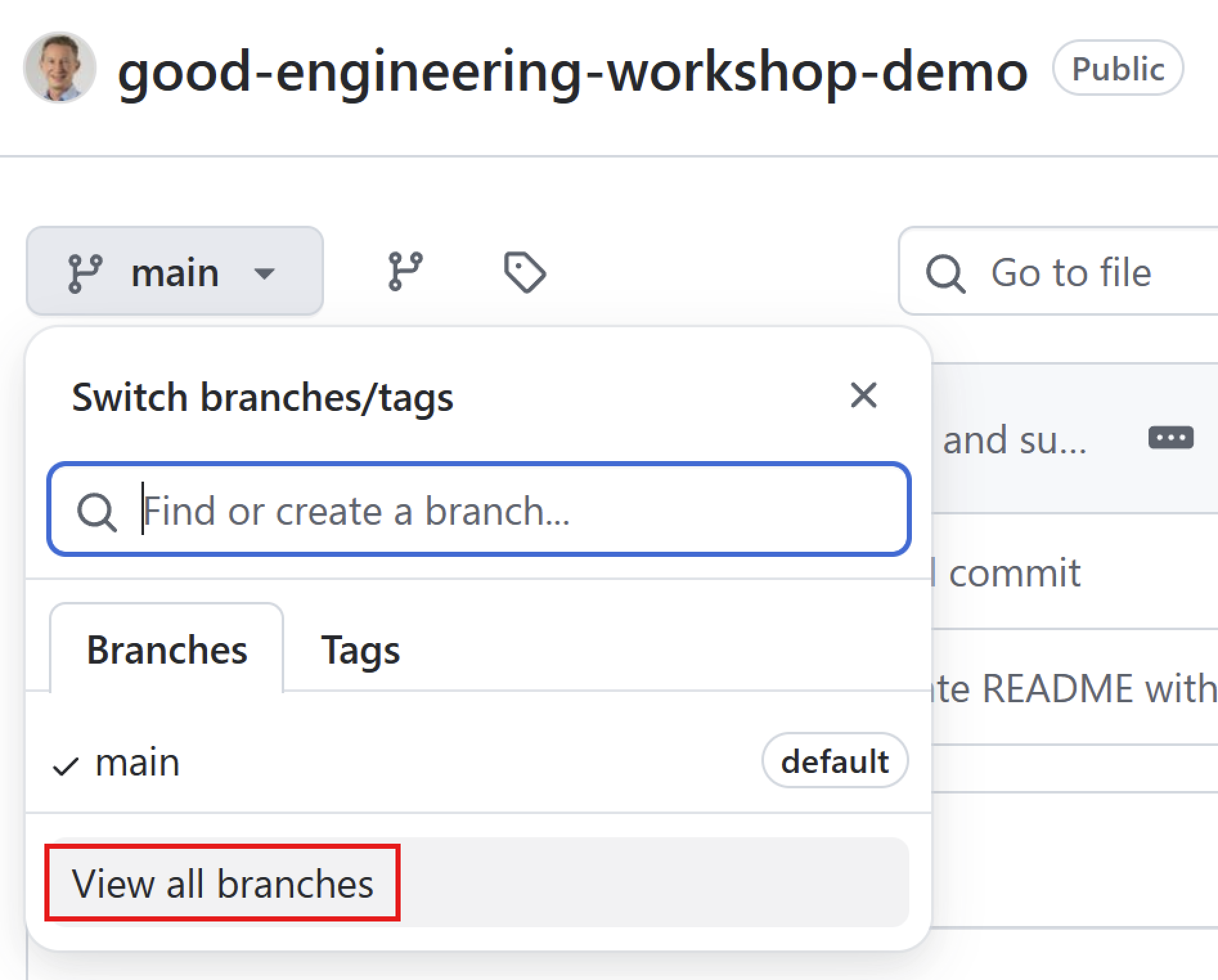
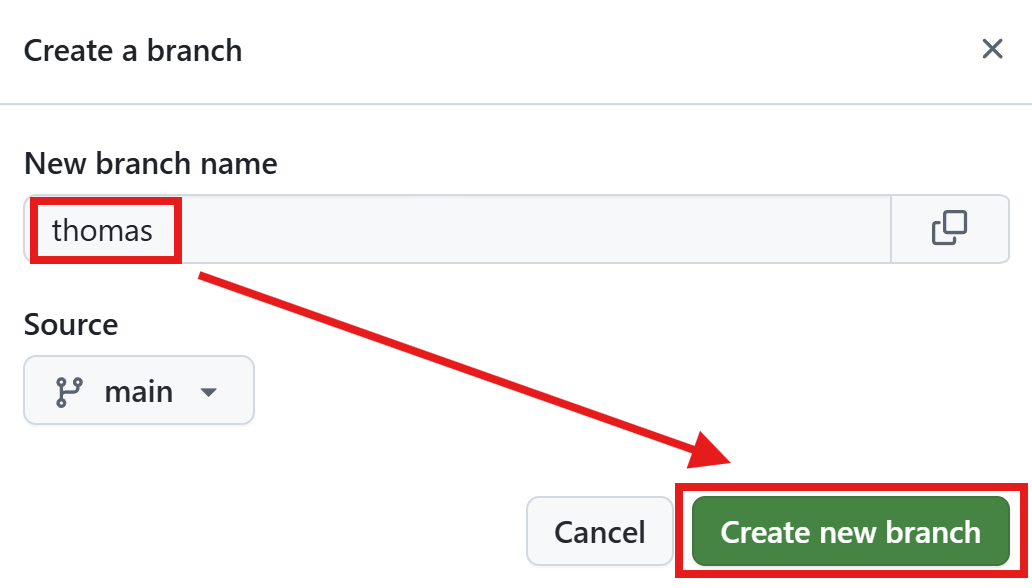
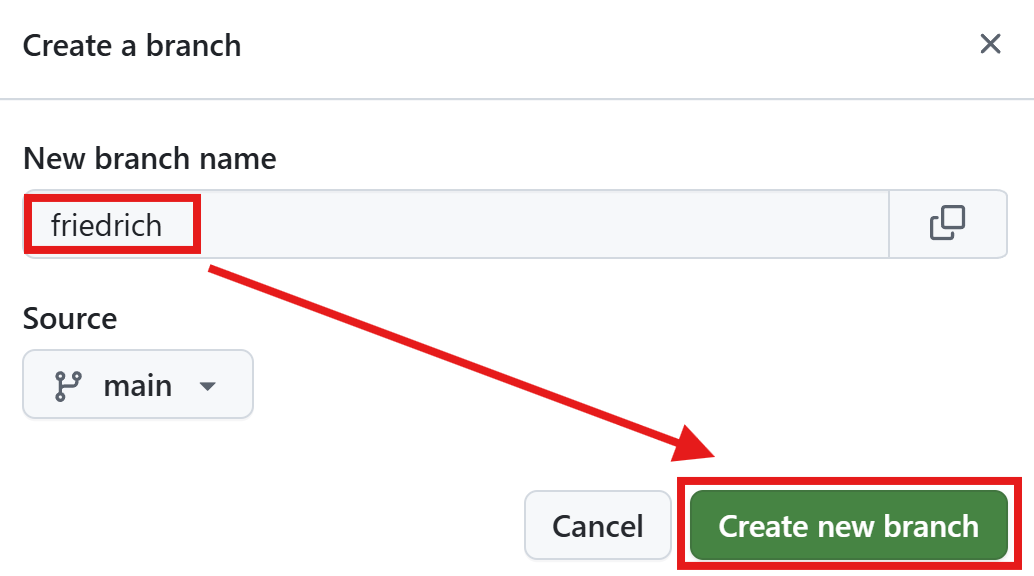
Let’s create the two branches

View all branches

Click New branch

Create new branch thomas

Create new branch friedrich

Branches

github.com/fpahlke/good-engineering-workshop-demo/branche
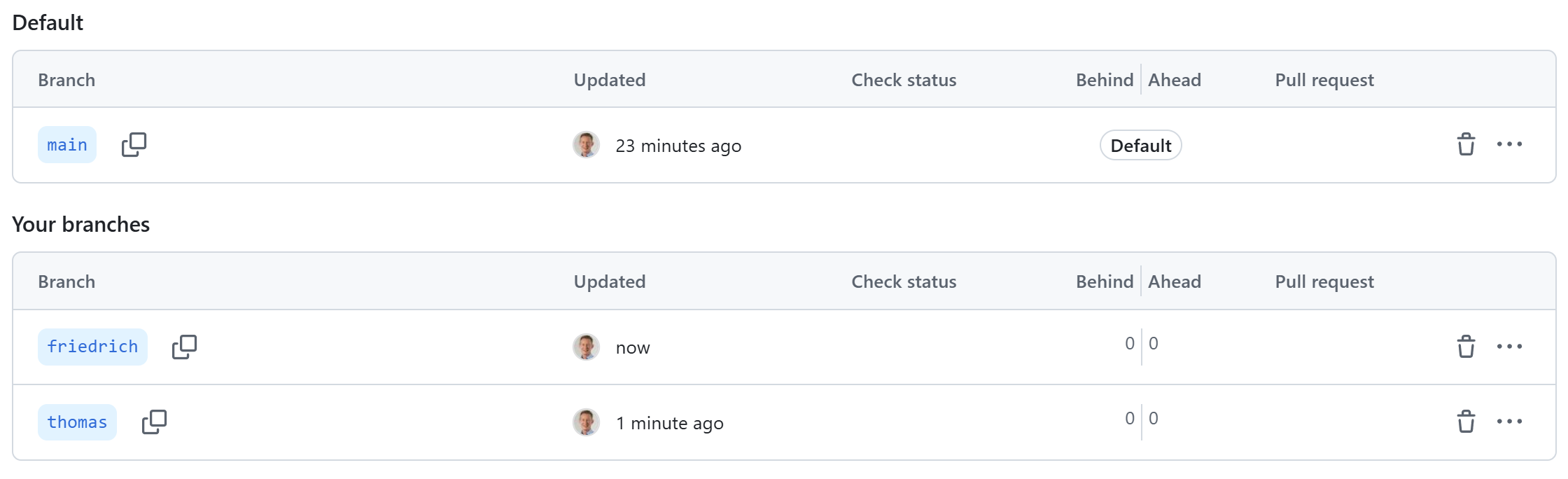
GitHub branches overview page

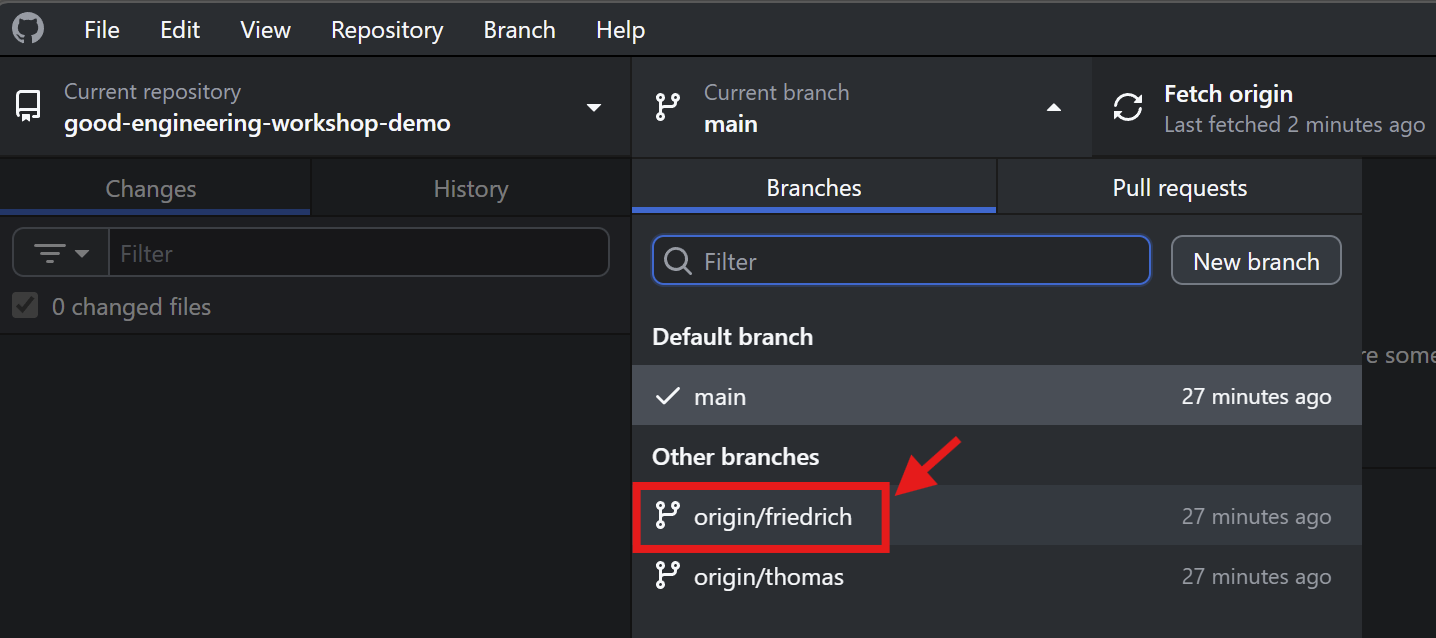
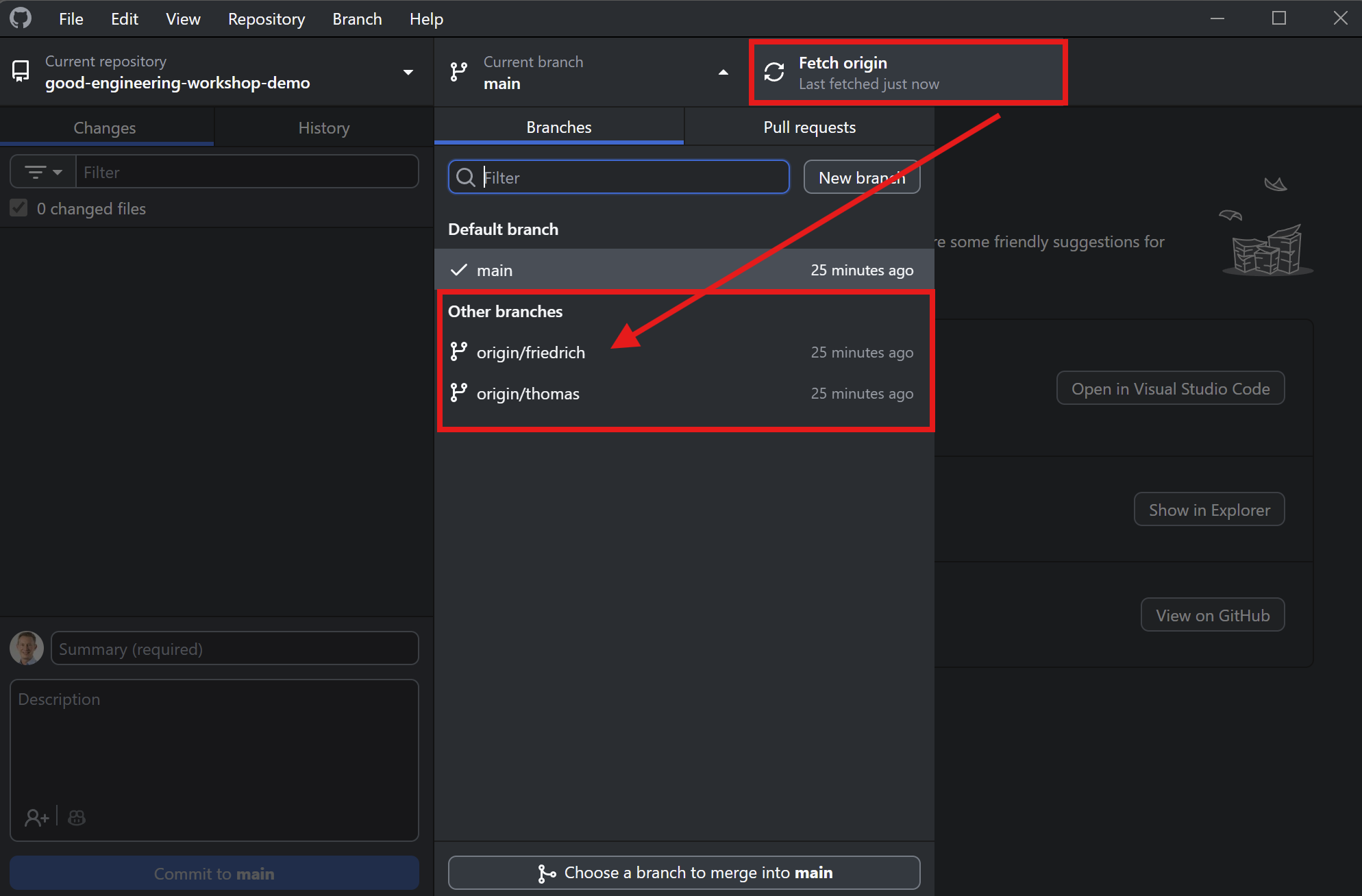
Let’s clone the repository with GitHub Desktop

Fetch origin (update local information) and then select branch friedrich.
Add a new R script and data file
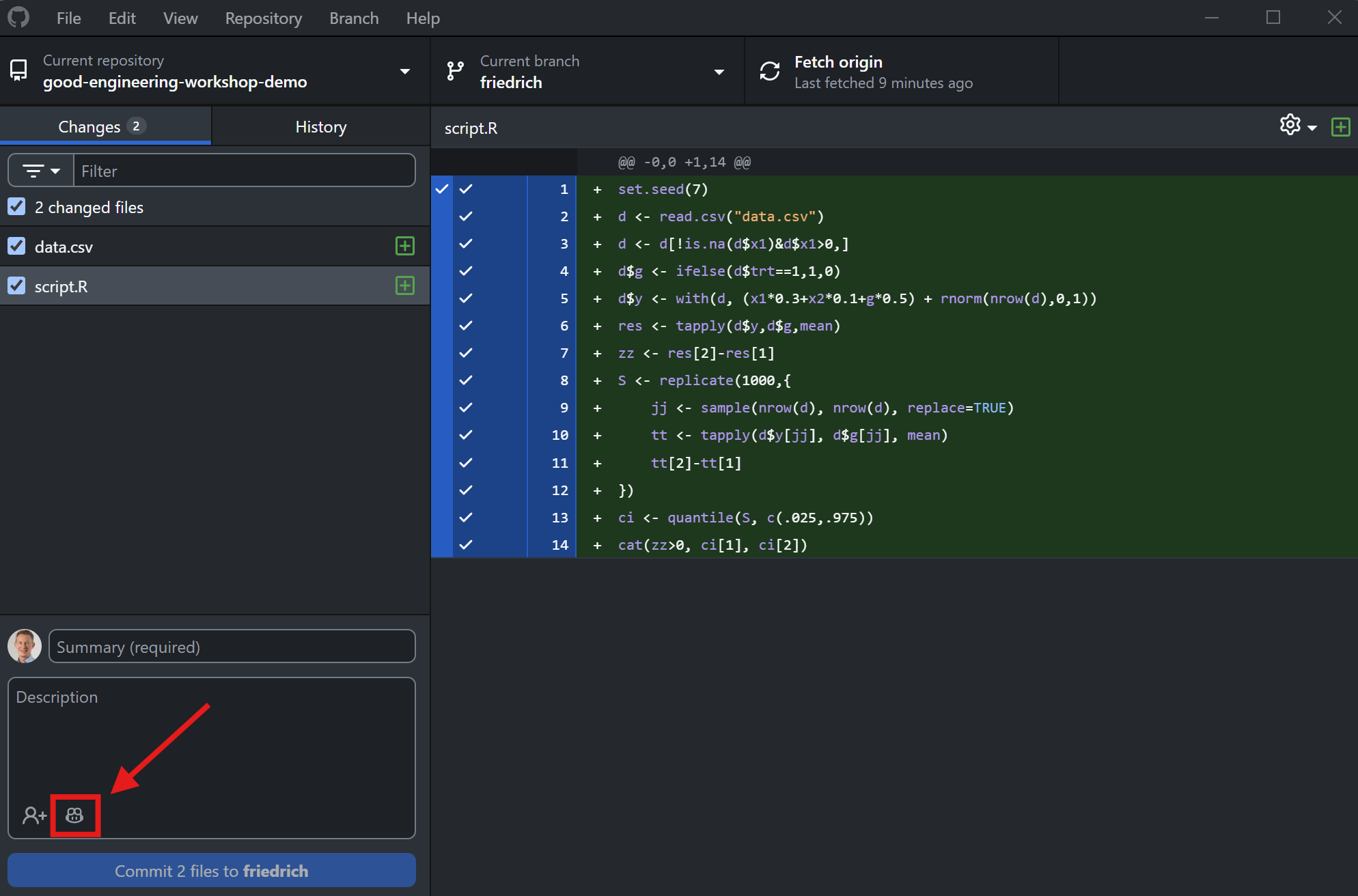
Add a new R script and data file

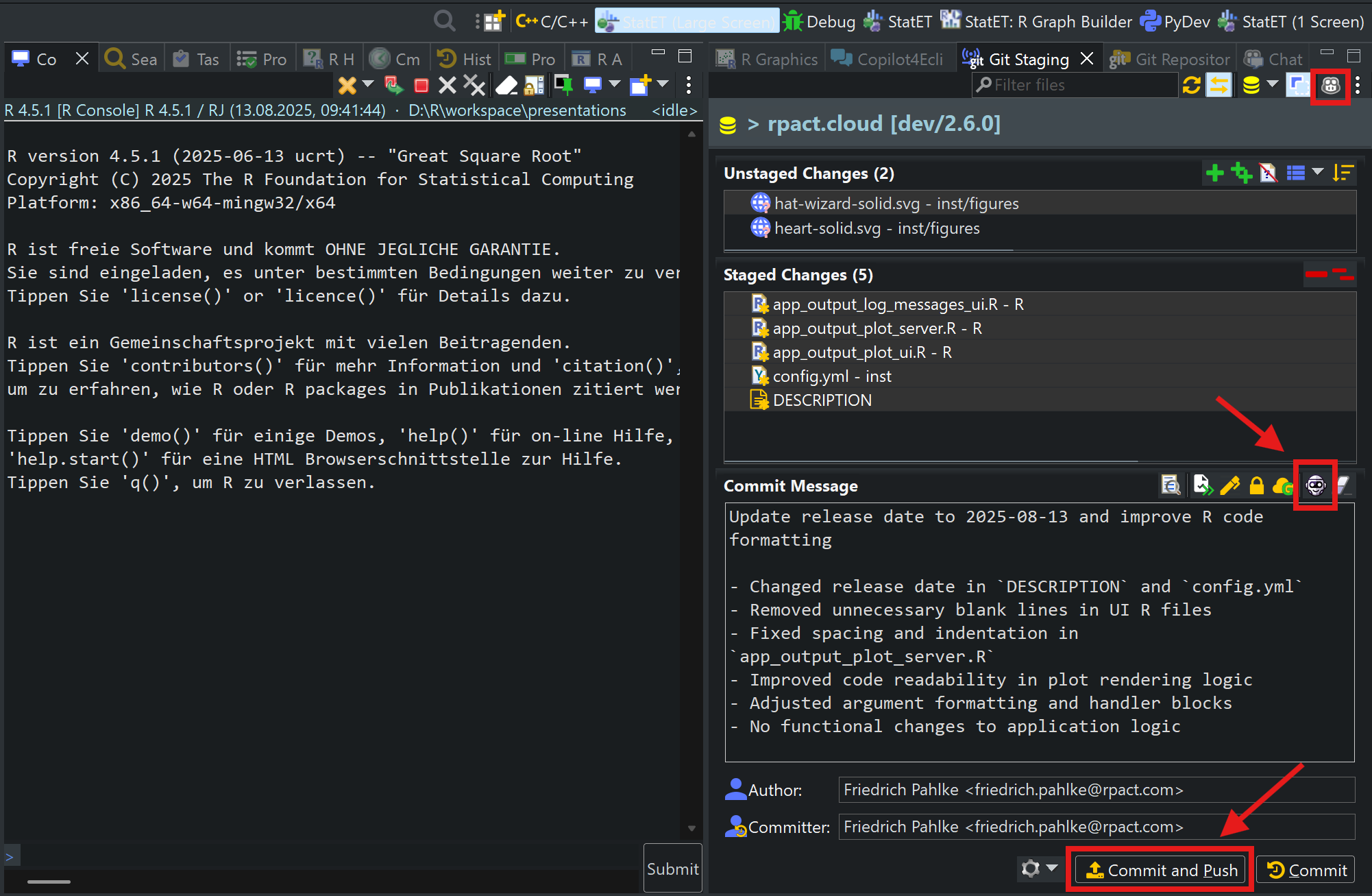
Use Copilot to write the commit message
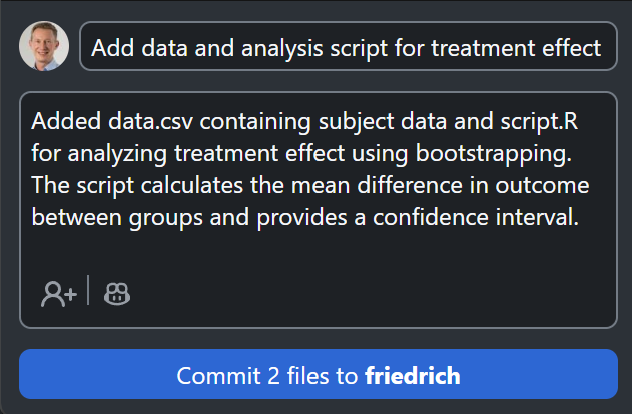
Use Copilot to write the commit message (title and description)

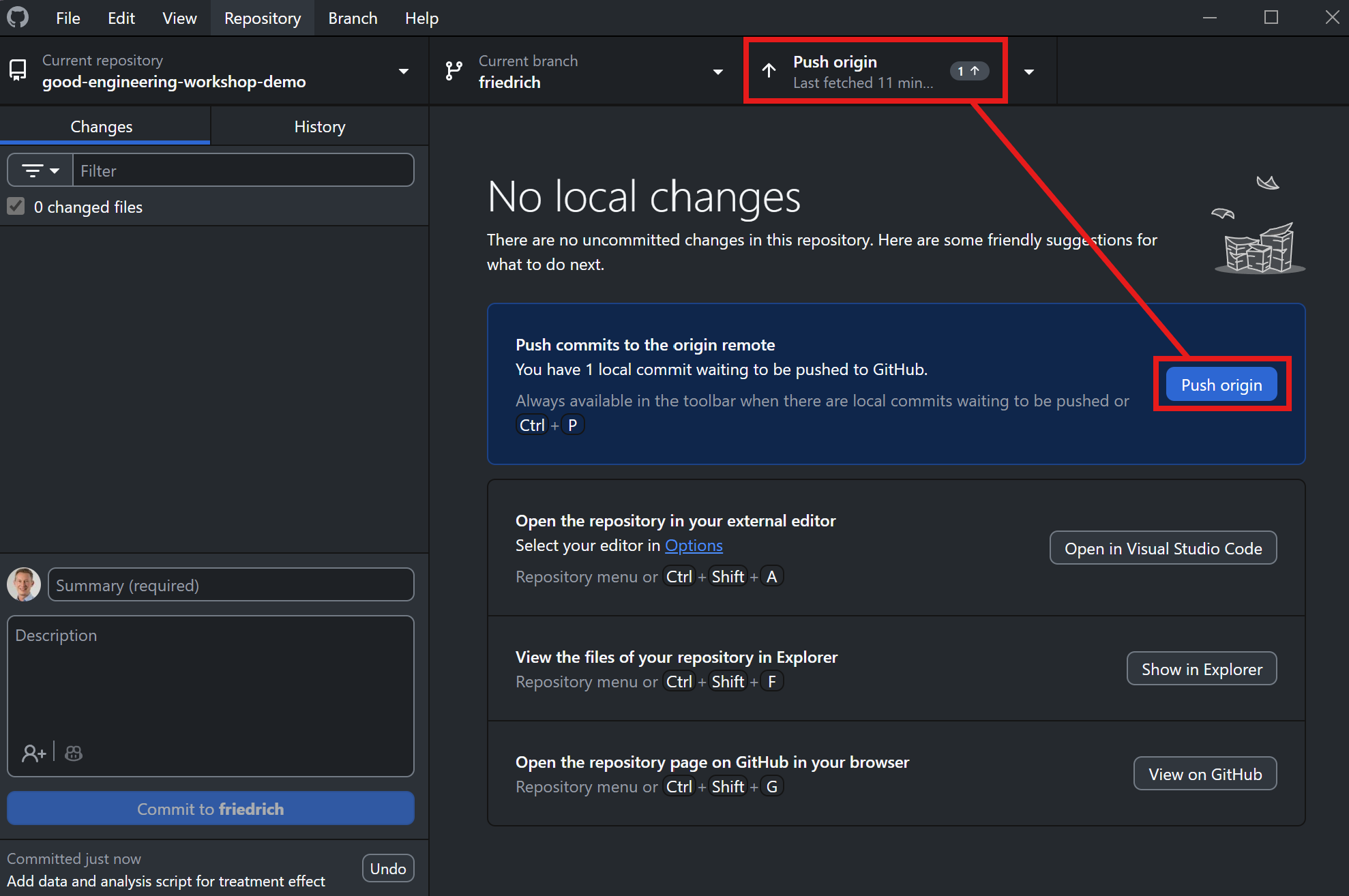
Push the changes to GitHub

Push the changes to GitHub

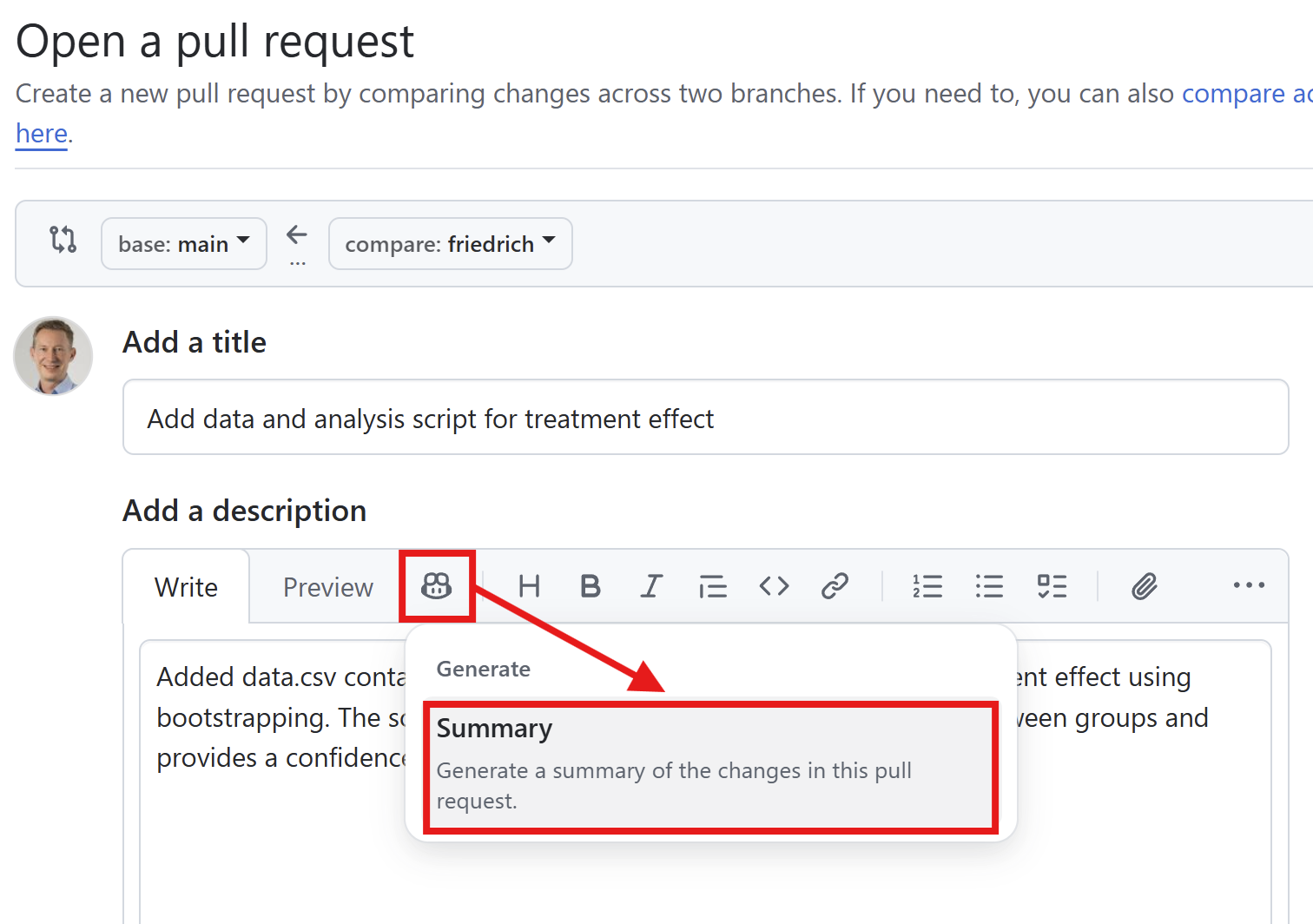
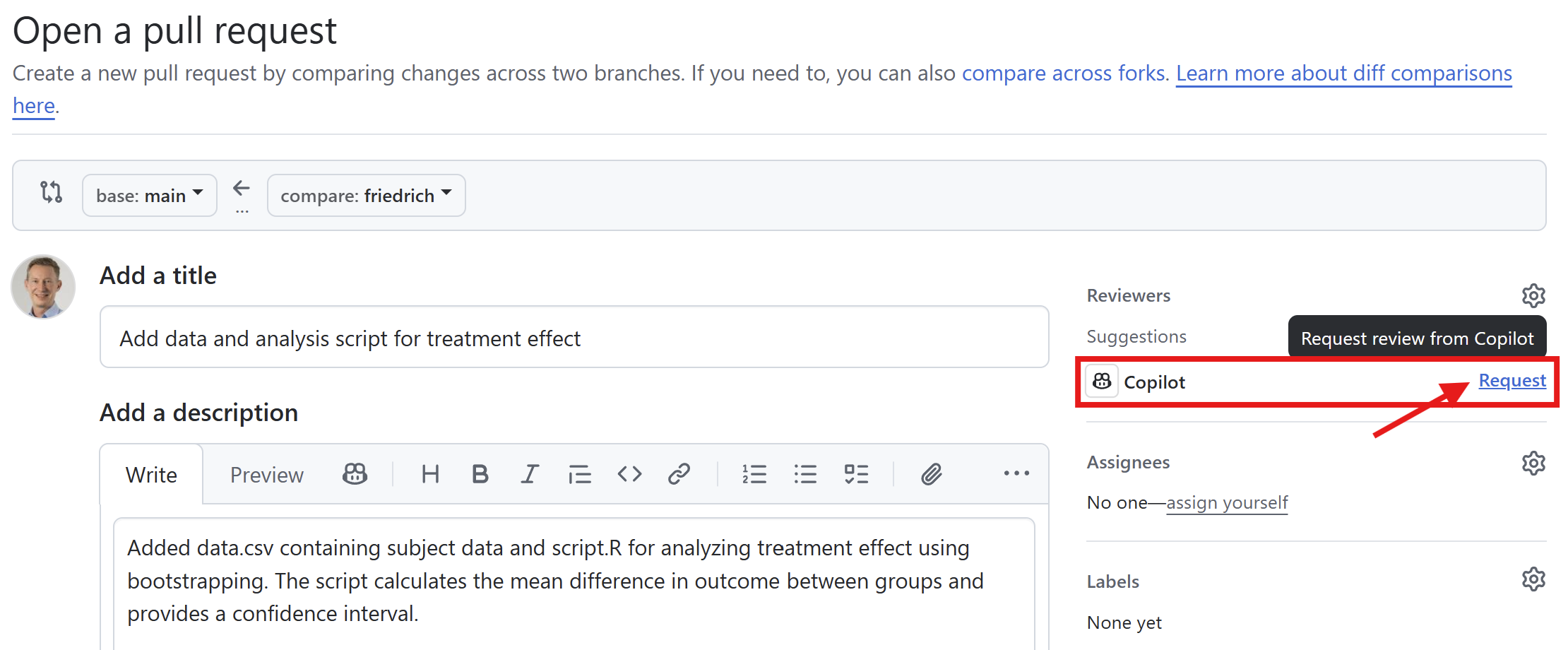
Create a pull request

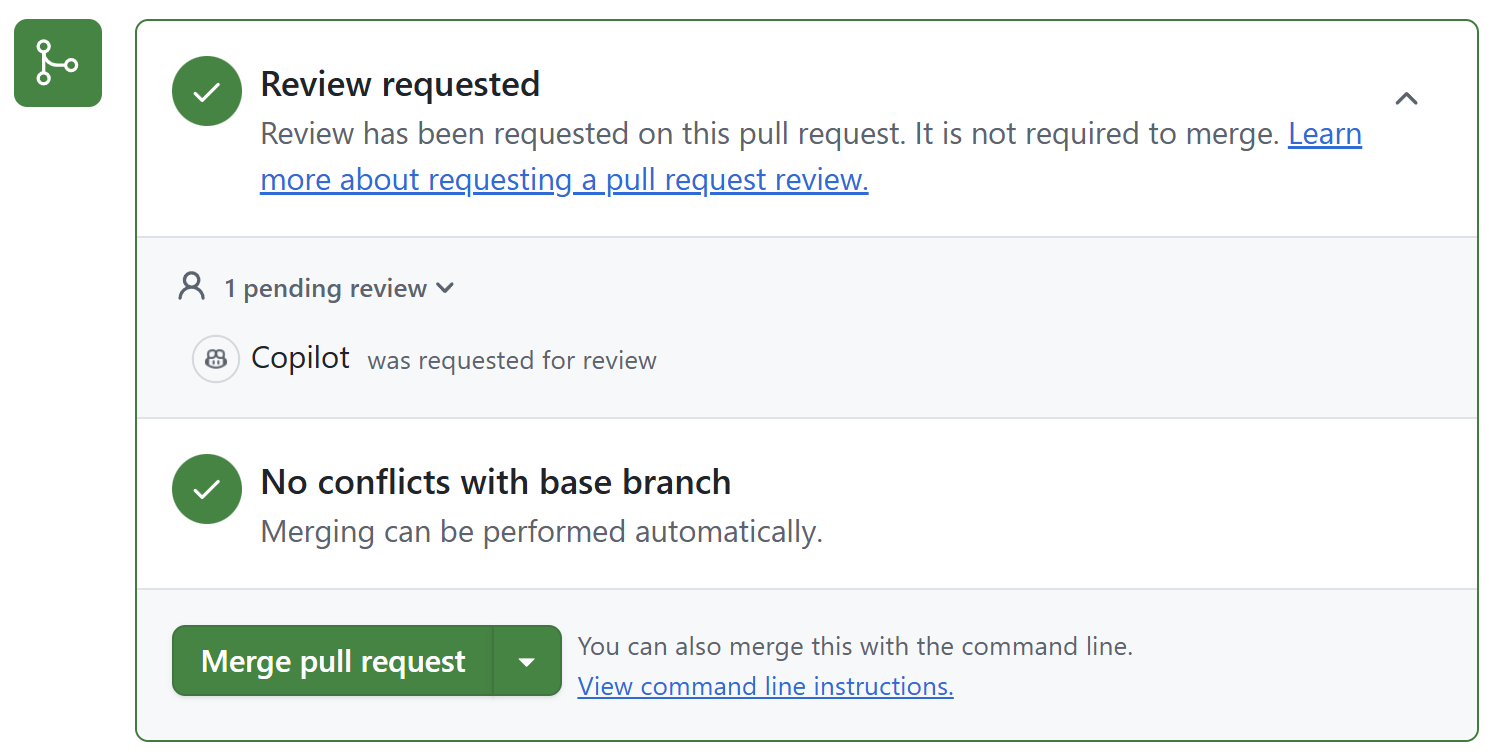
Use Copilot for the pull request description and review of the changes.
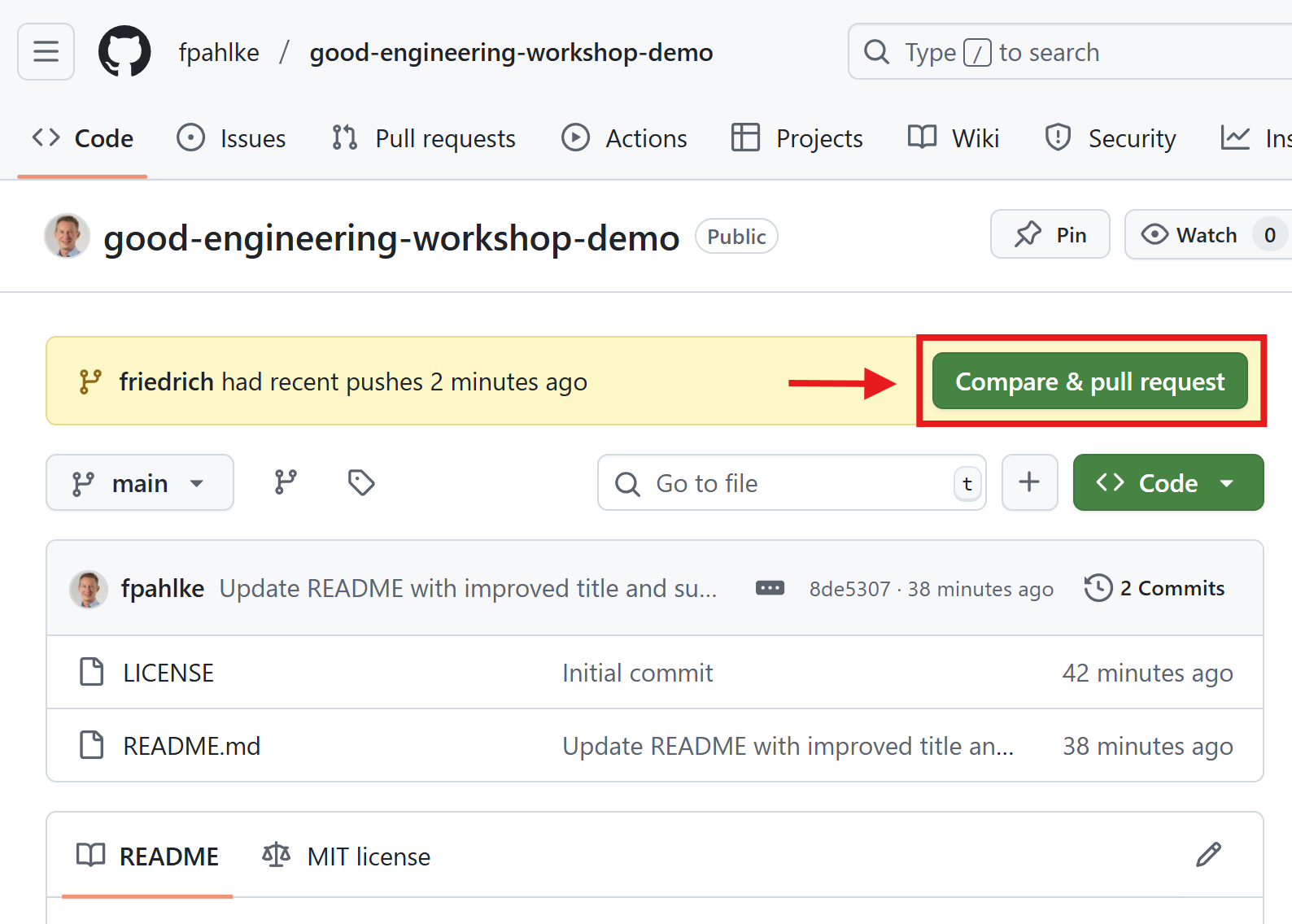
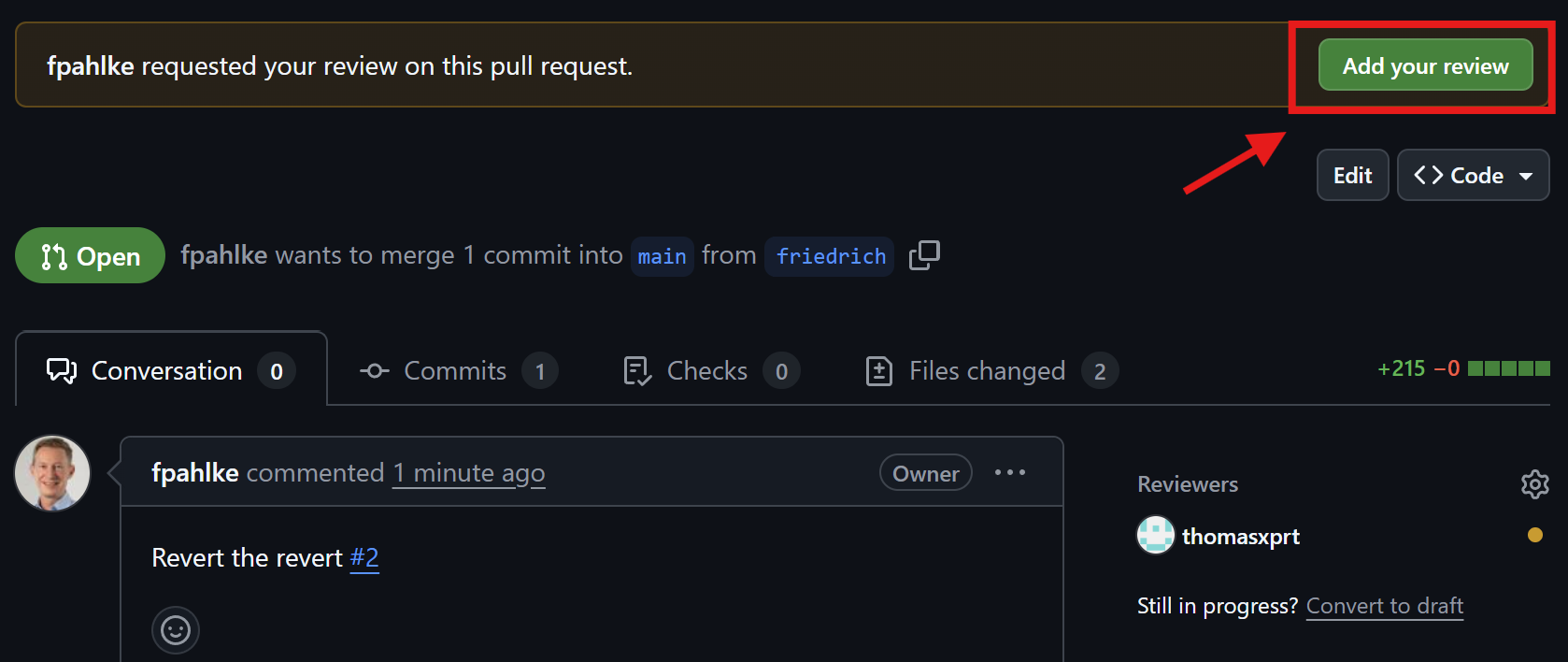
Add additional reviewers

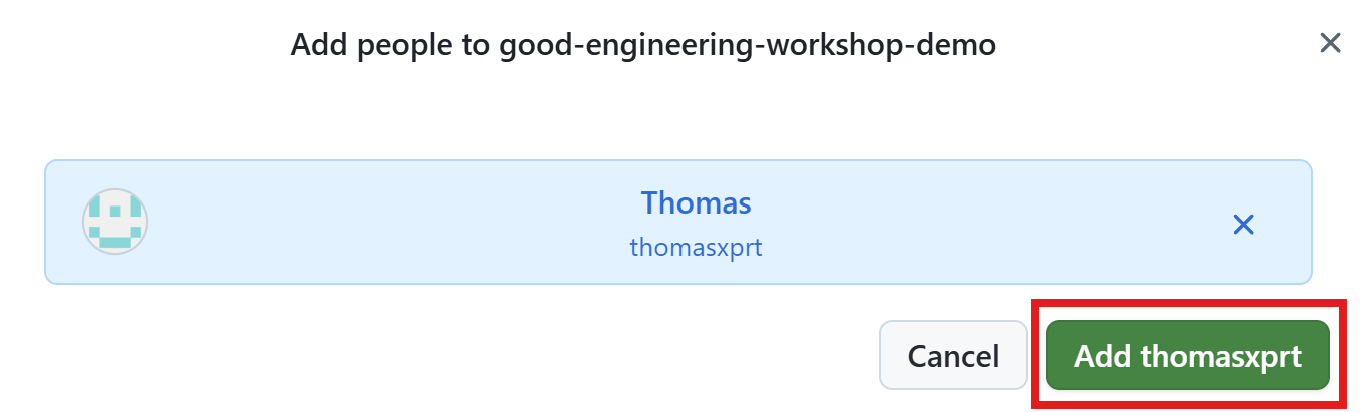
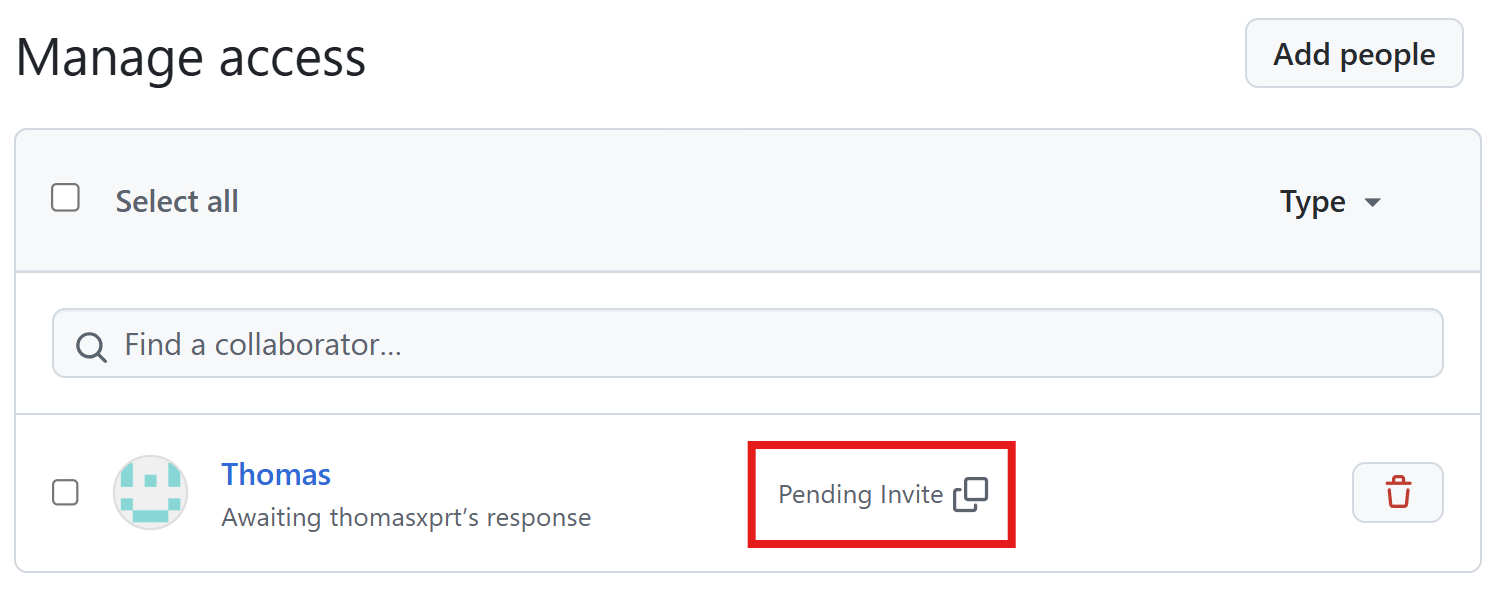
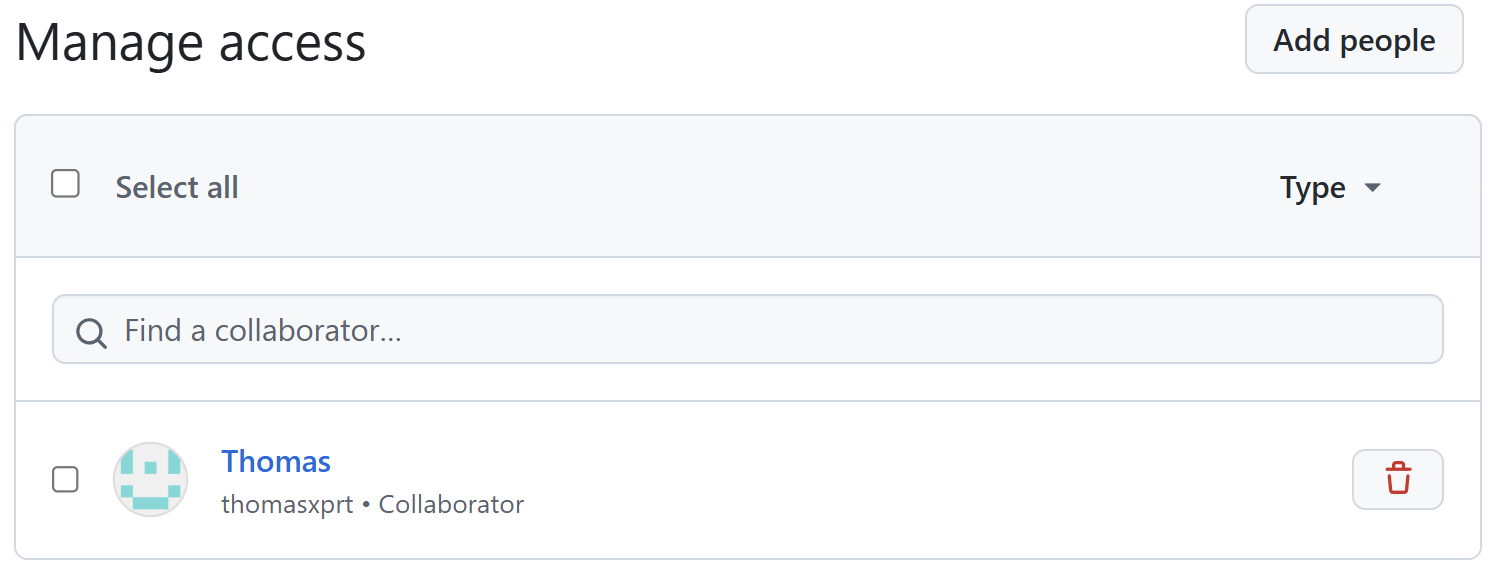
First invite Thomas as collaborator.
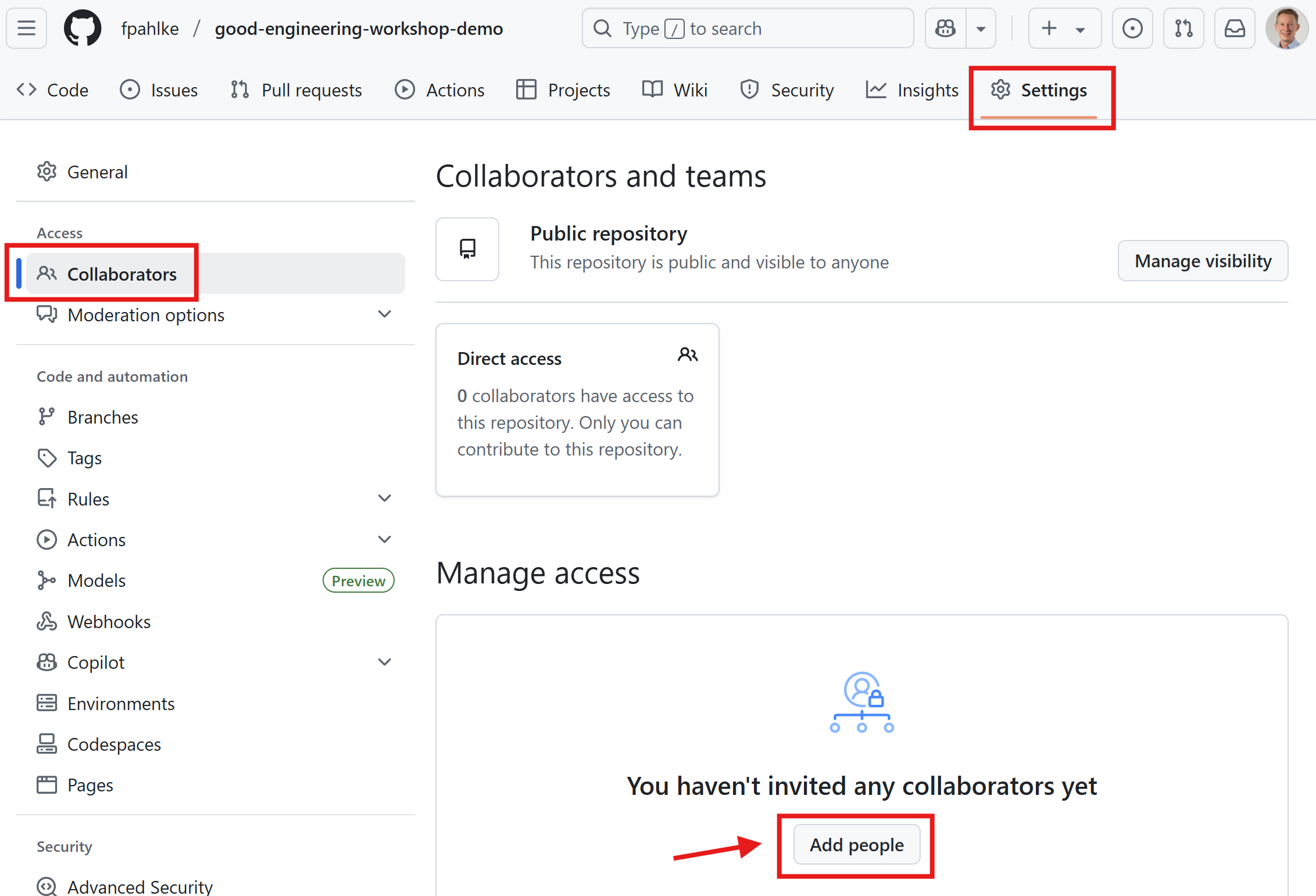
Add additional reviewers (cont’d)

Then add Thomas as reviewer.
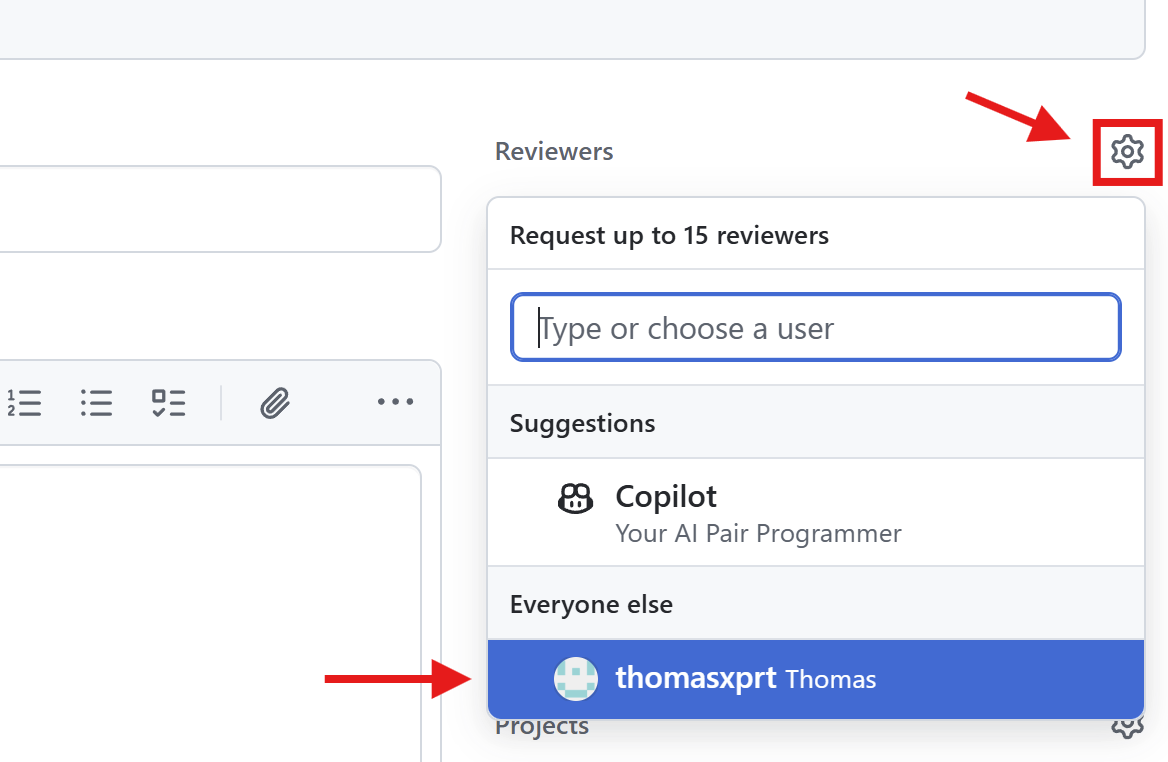
Add reviewer…

Thomas successfully added as reviewer

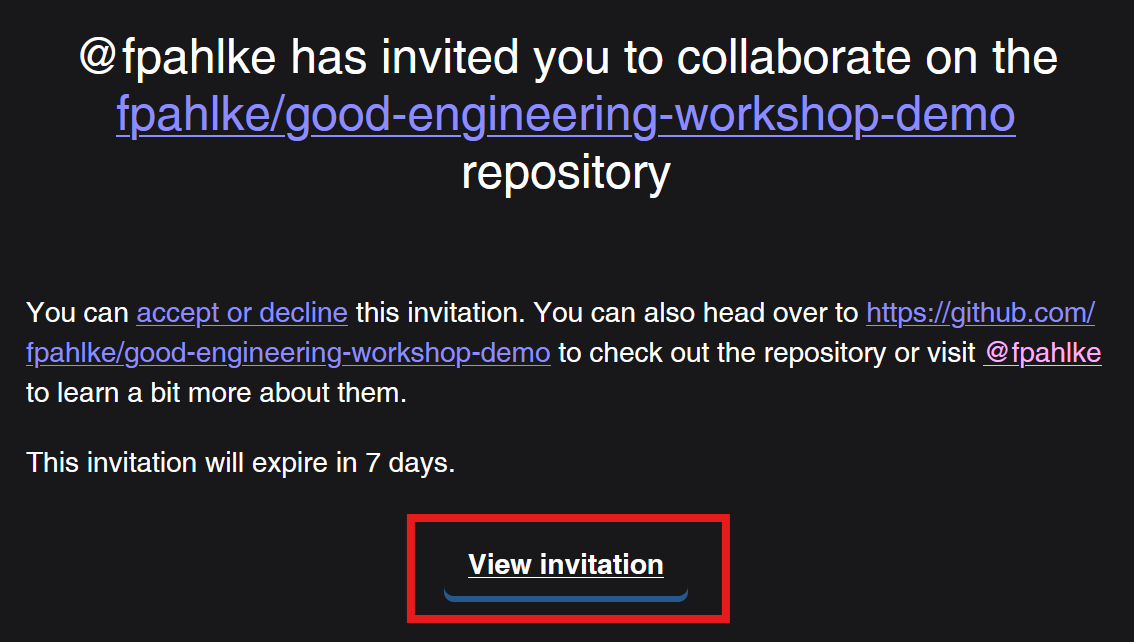
Email message to Thomas

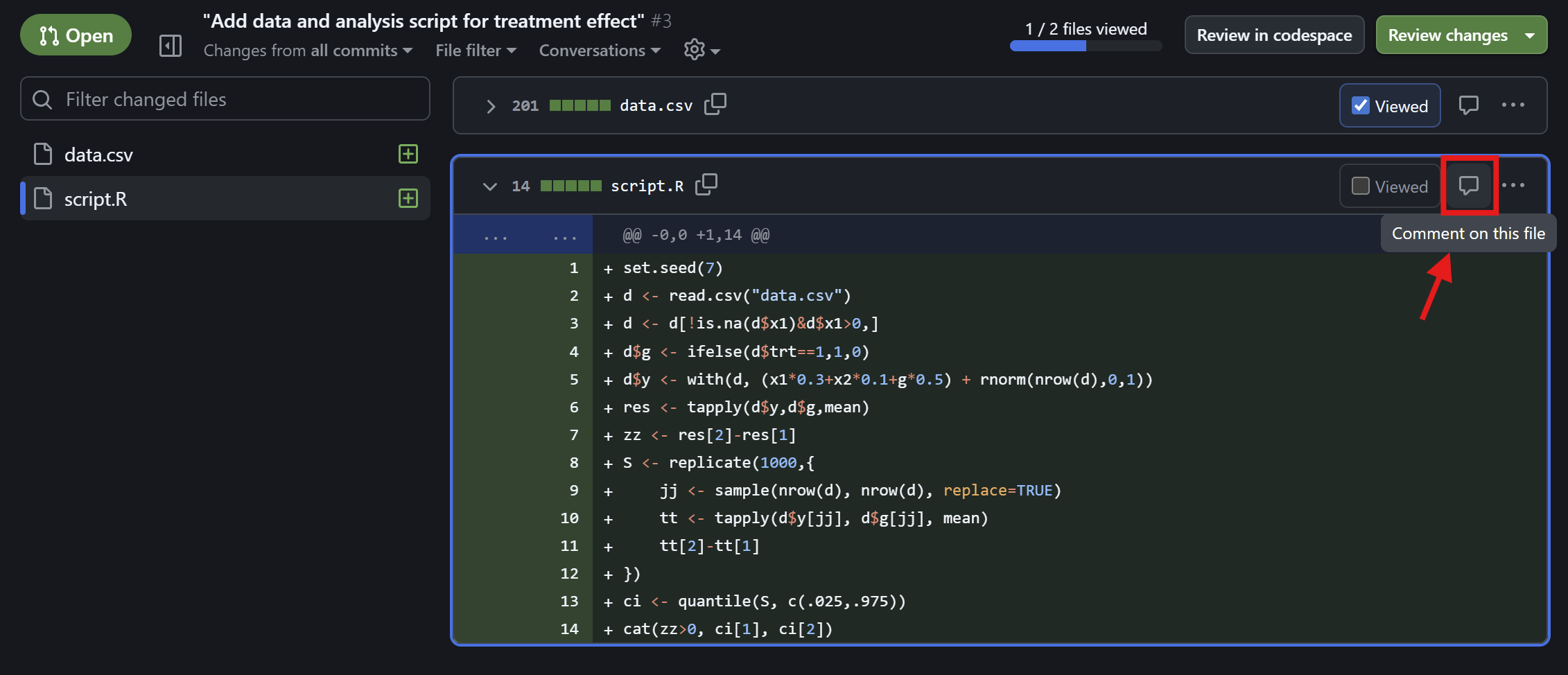
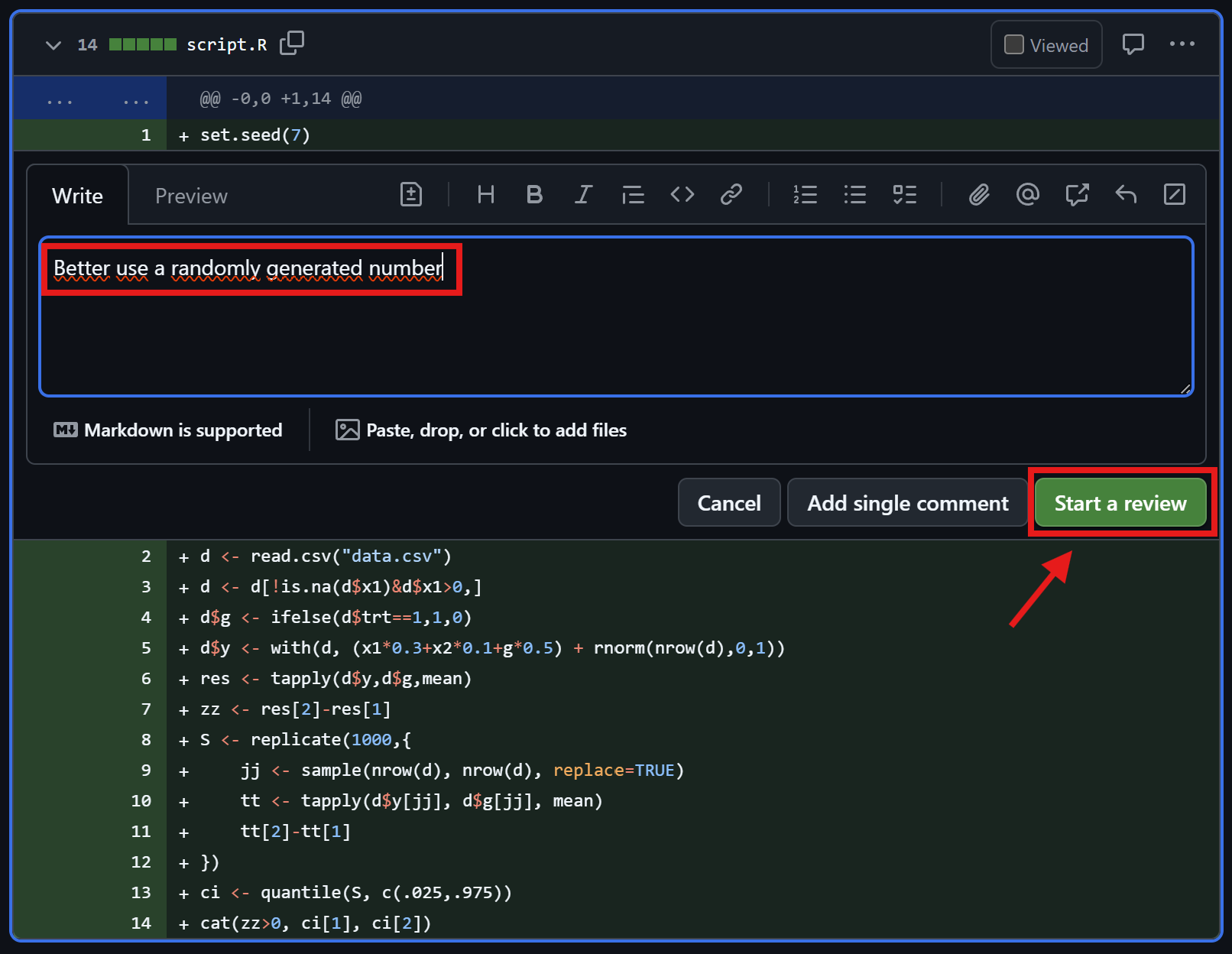
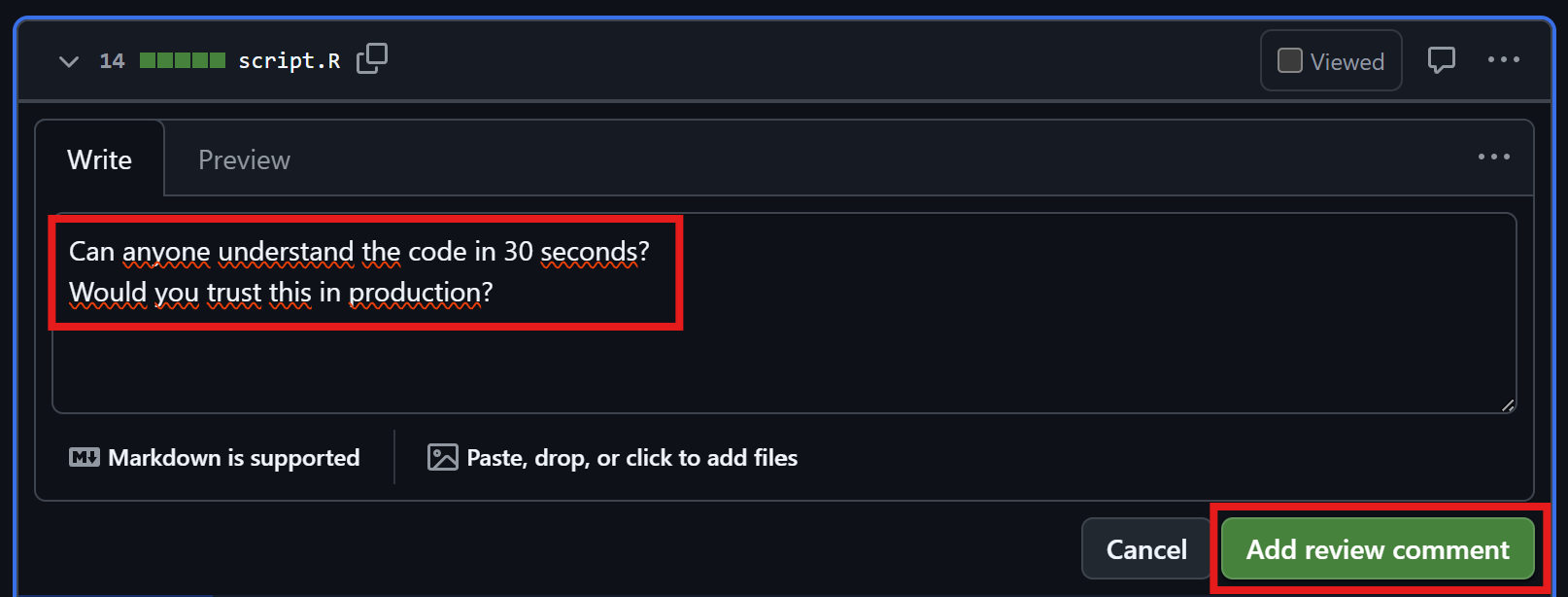
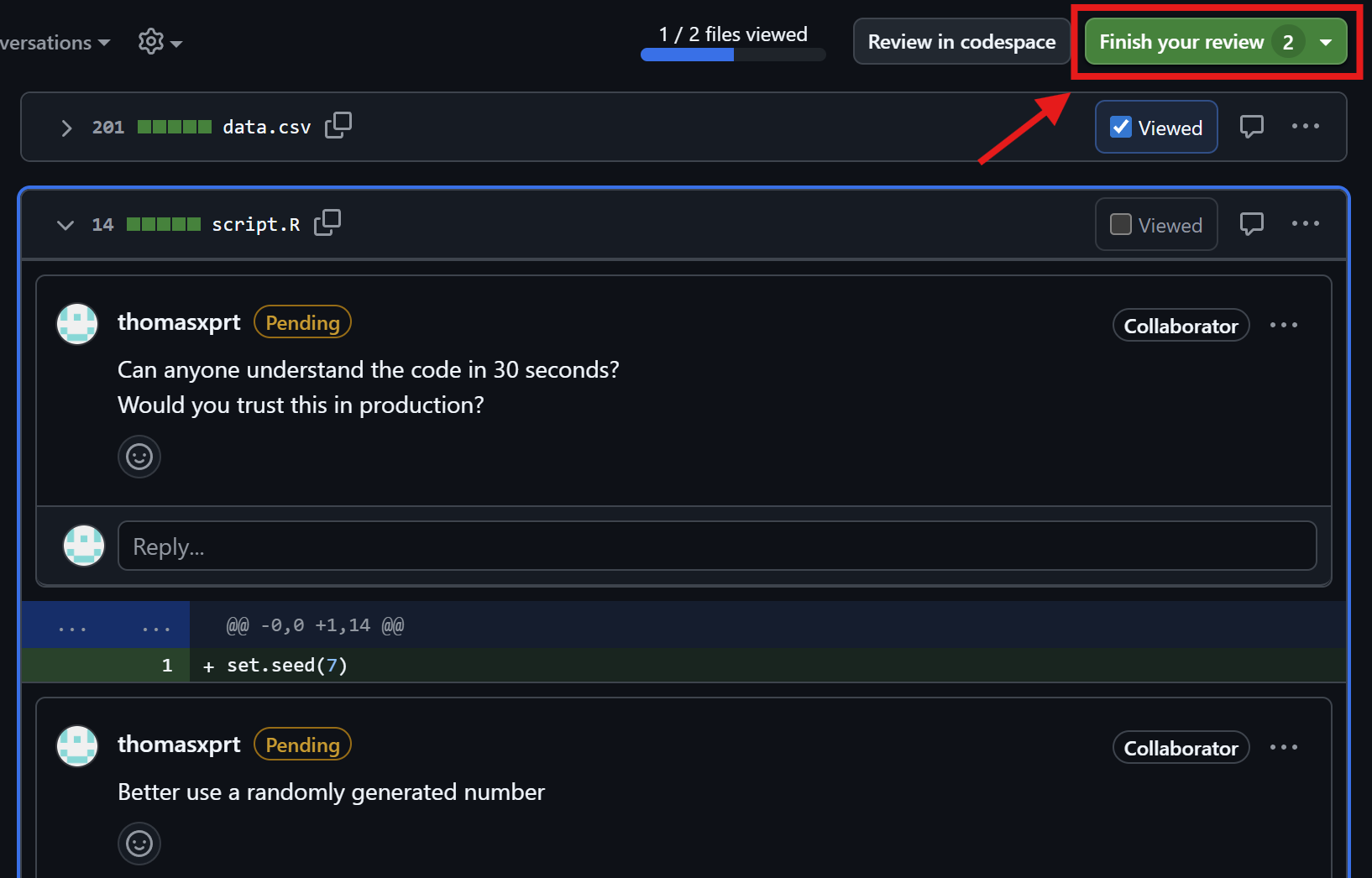
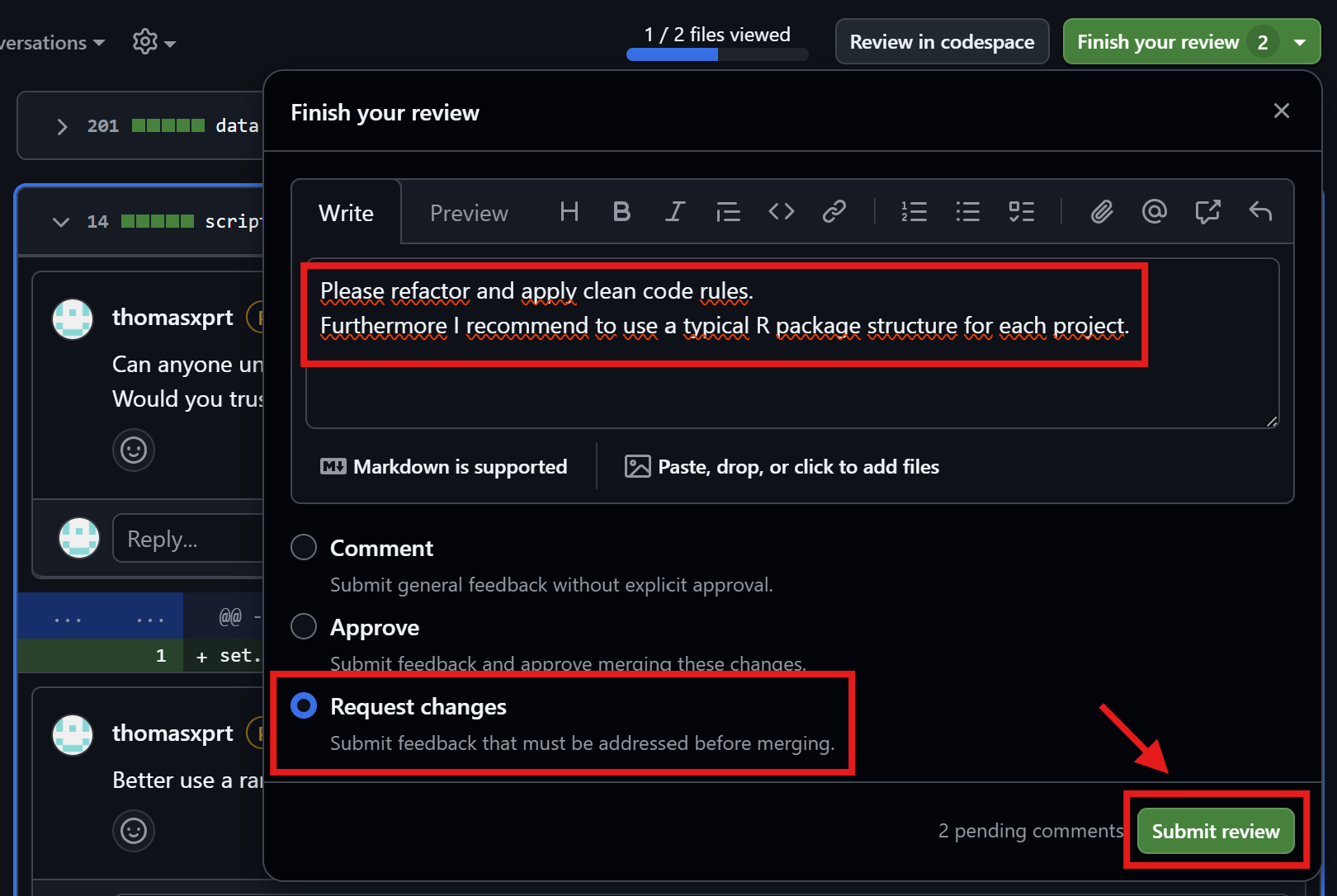
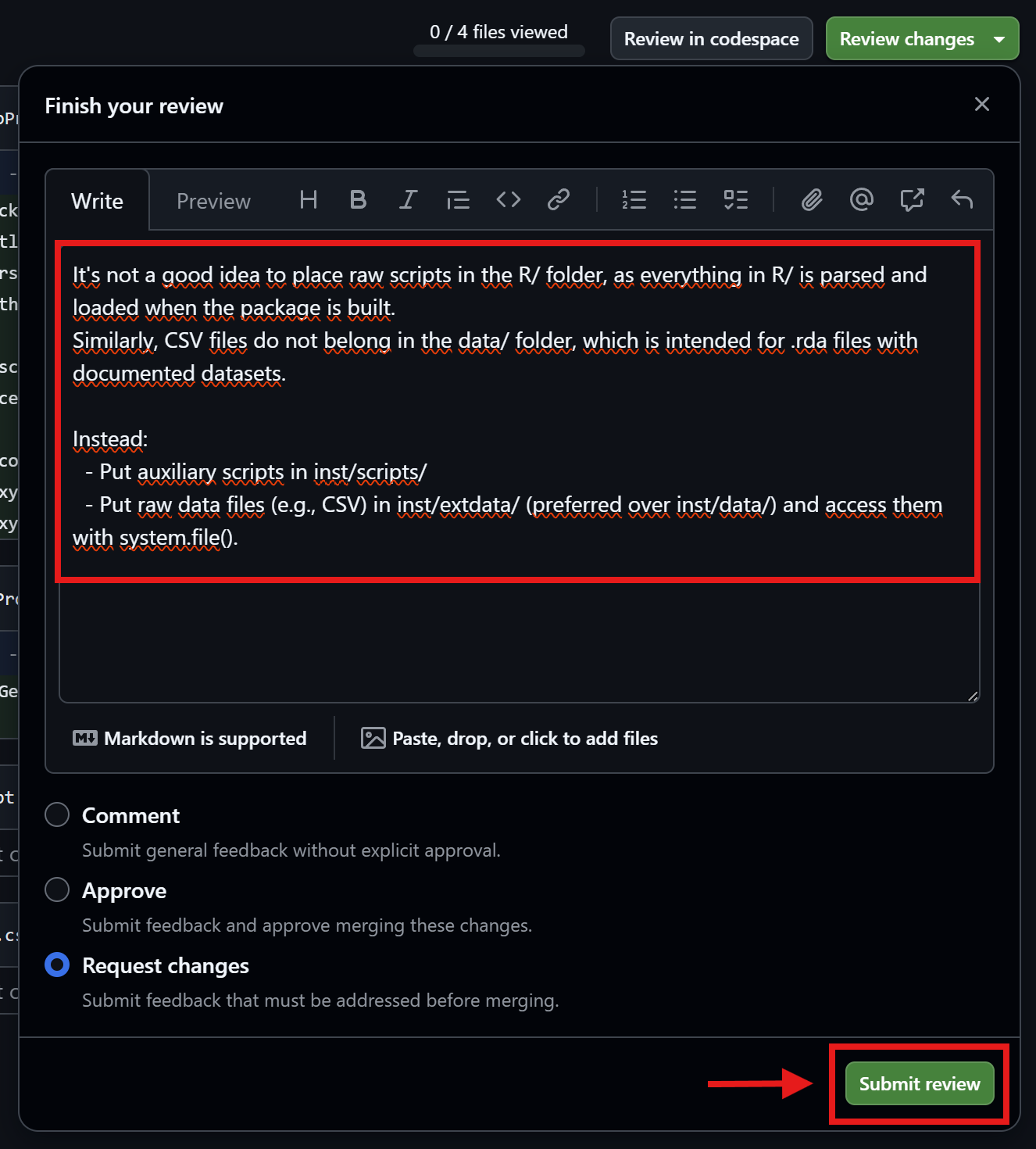
Thomas reviews the pull request
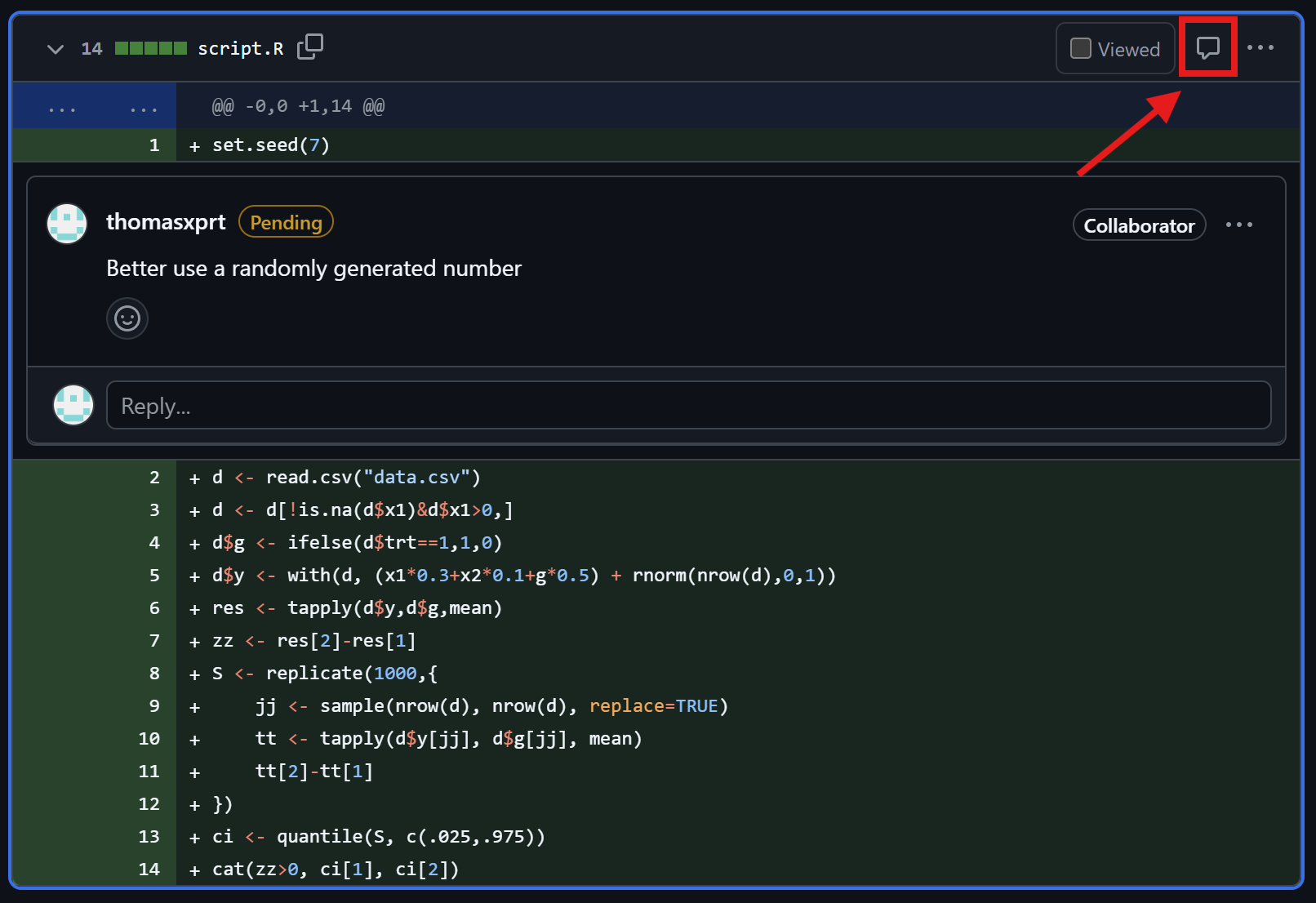
Friedrich checks the comments
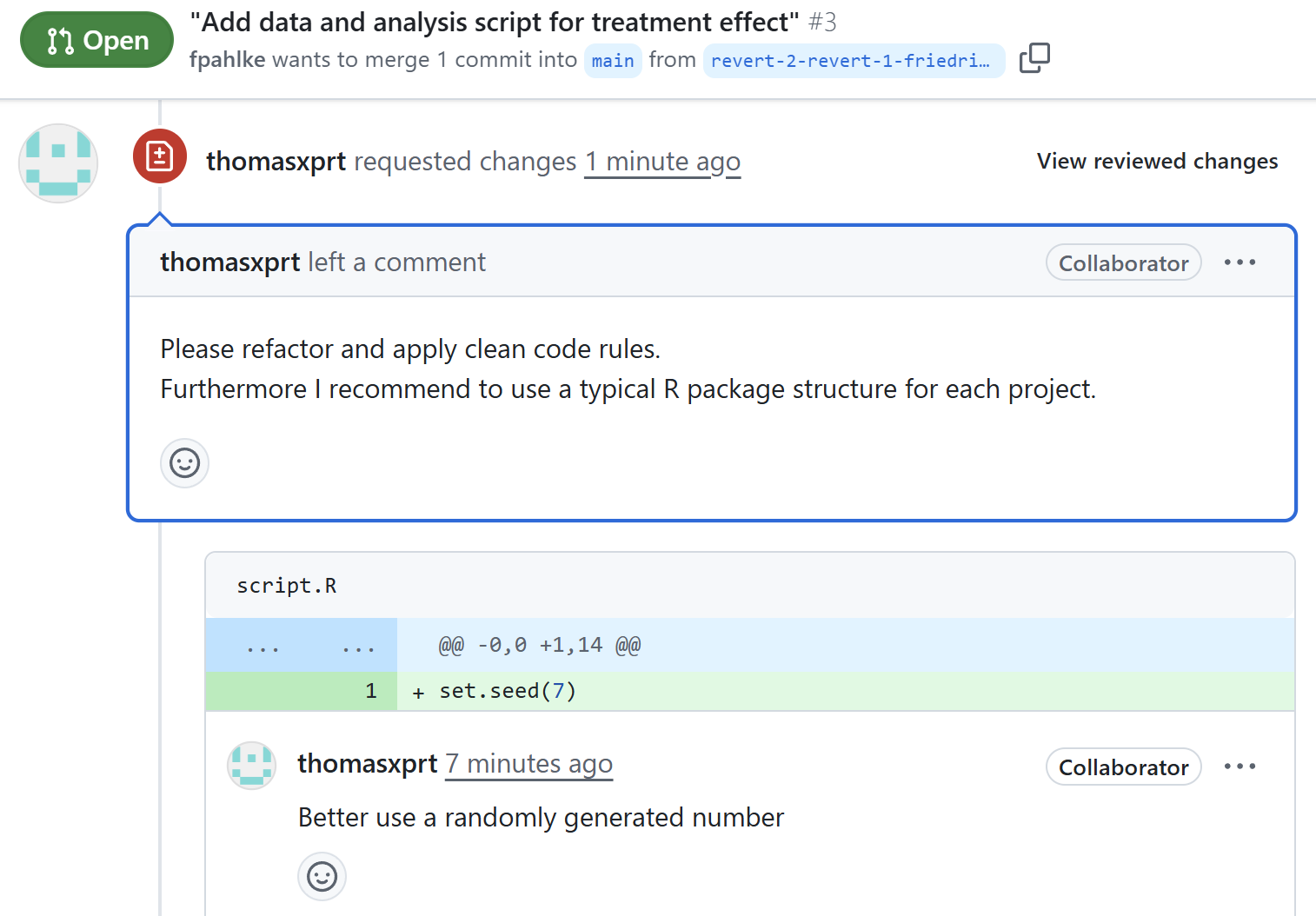
Check reviewer comments

Friedrich fixes the issues

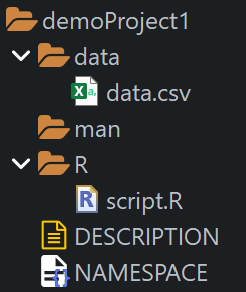
We use the usethis package to create a new R package structure that offers various advantages, even for projects that are not R package projects:
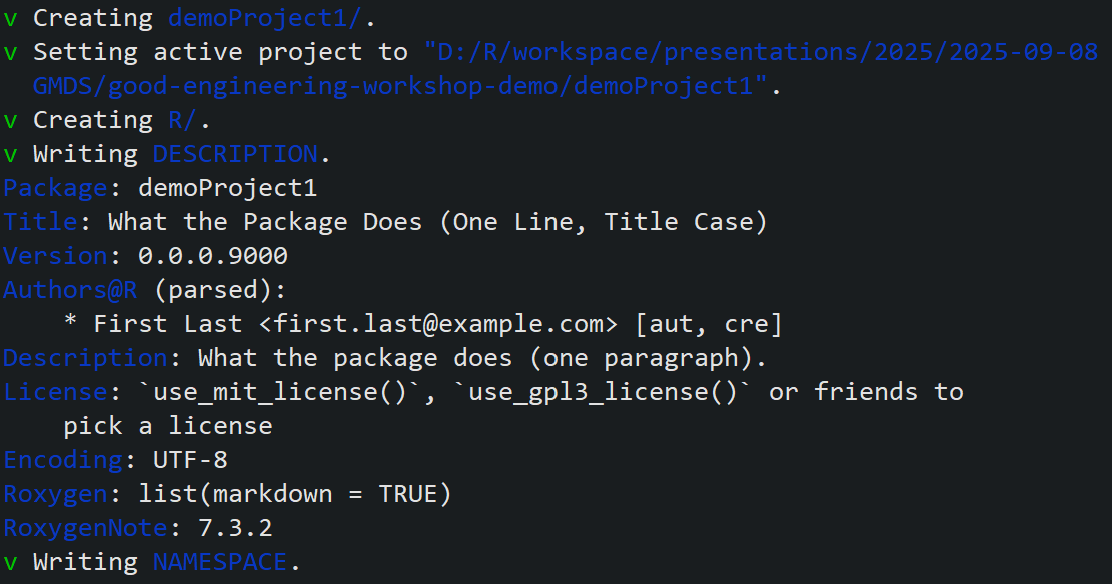
# check current working directory
getwd() 
pkg_name <- "demoProject1"
usethis::create_package(pkg_name)

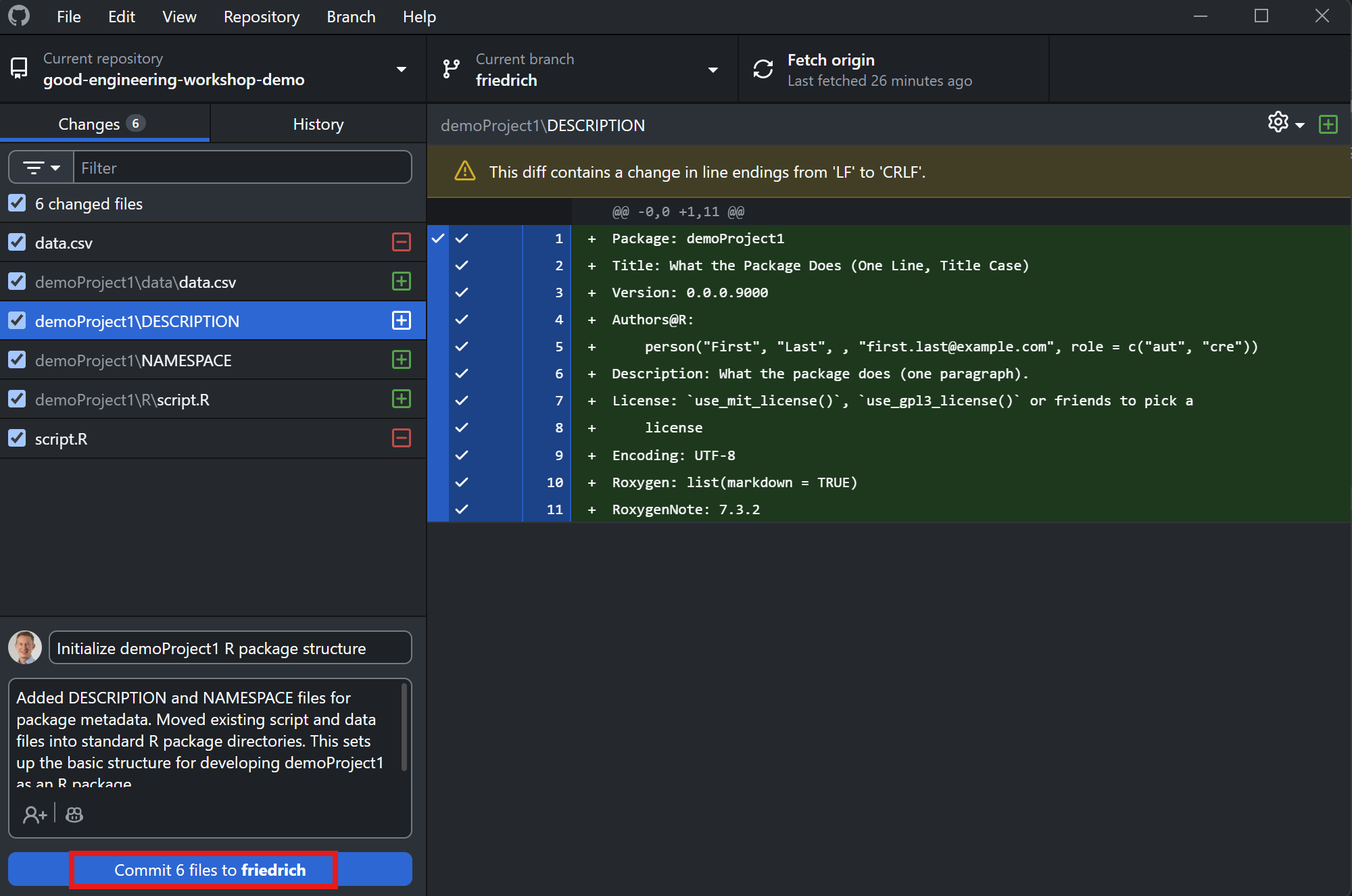
Friedrich commits the changes

Thomas reviews the changes
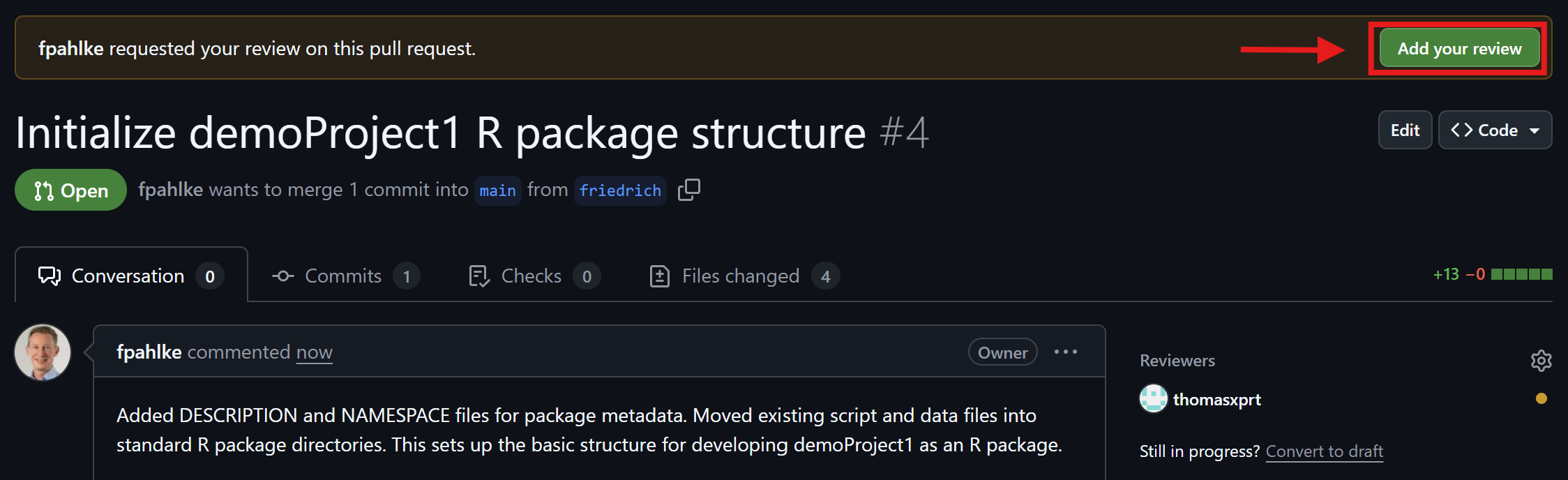
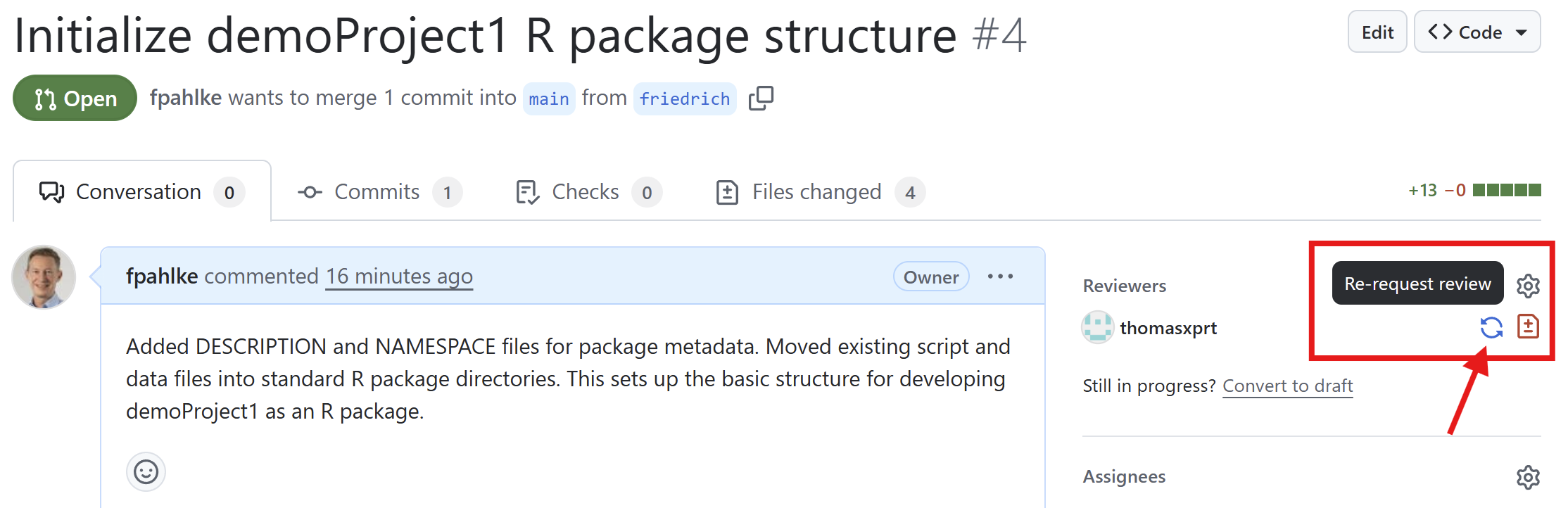
Friedrich checks the comments (2nd round)
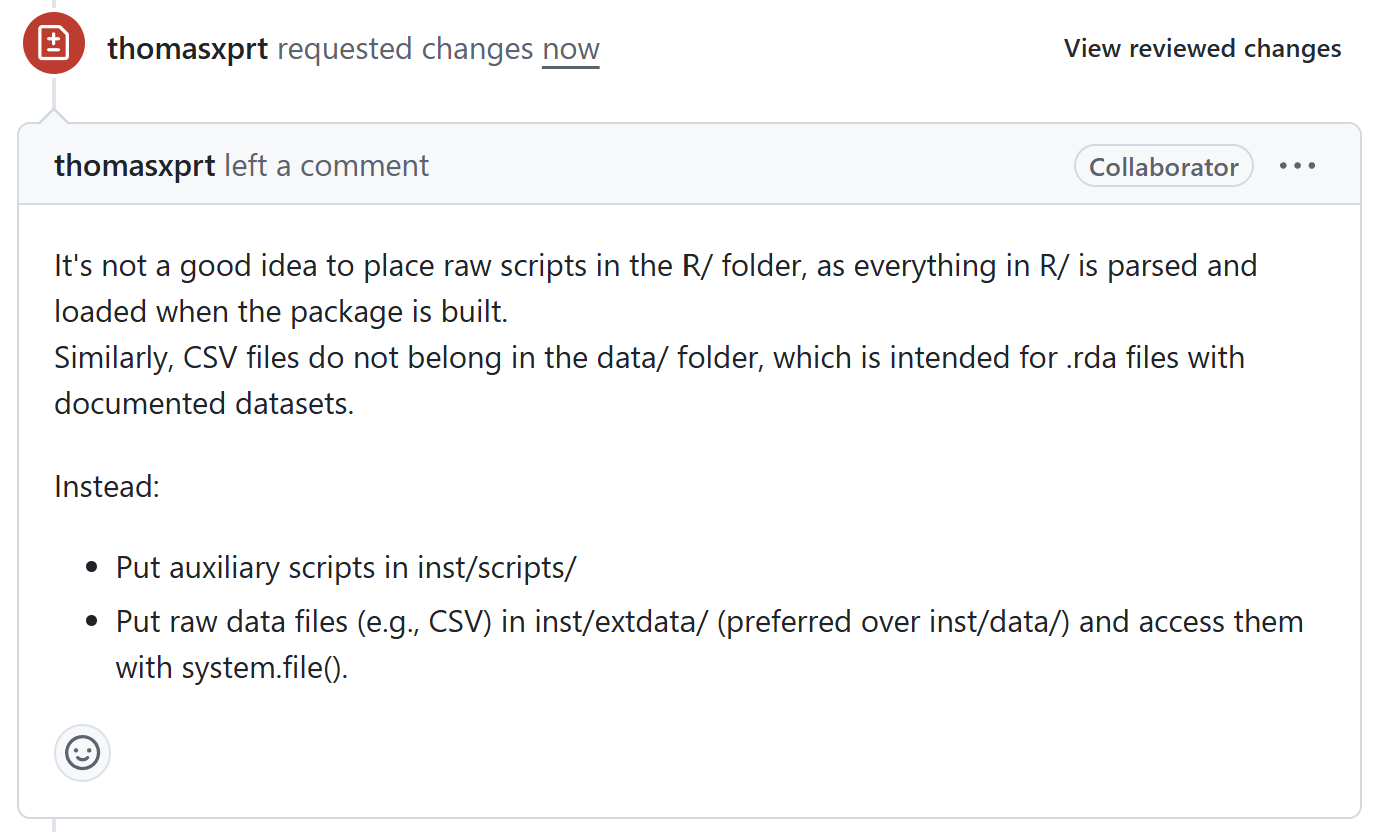
Check reviewer comments

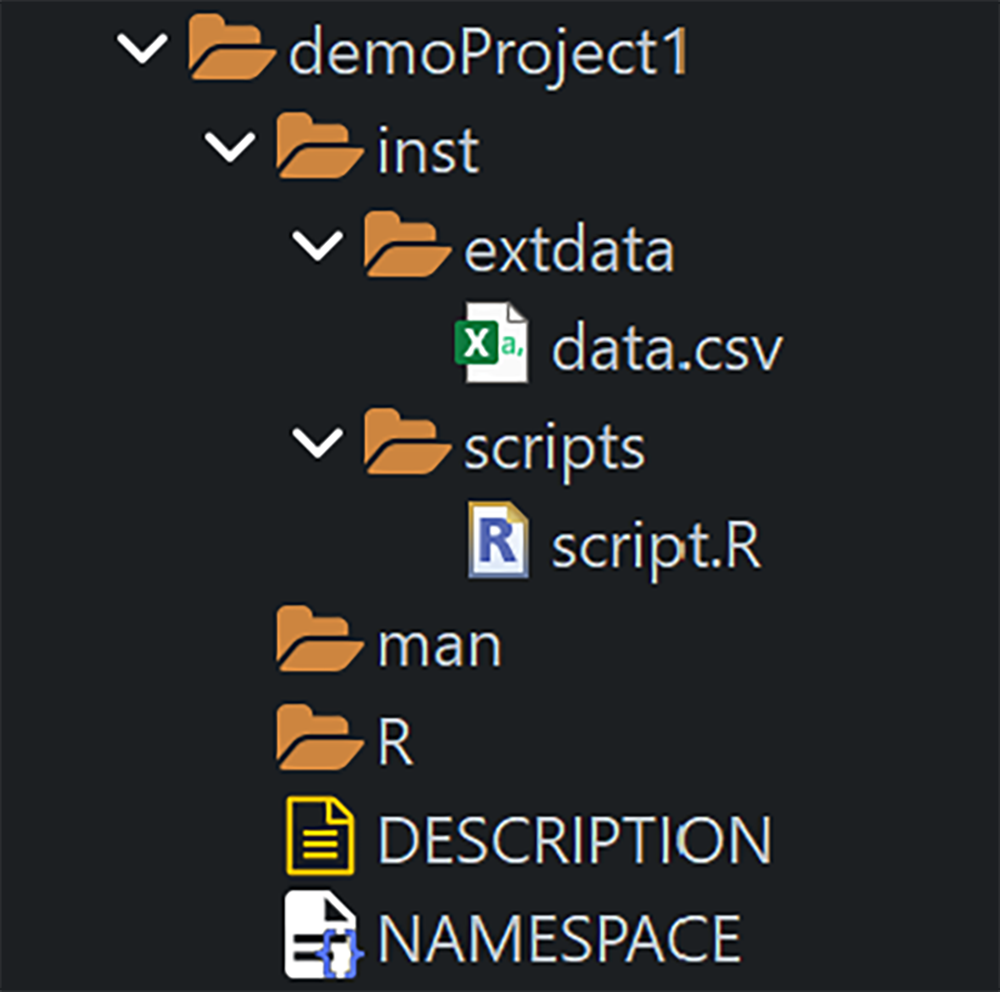
Friedrich fixes the issues (2nd round)

  • Put auxiliary scripts in inst/scripts/
  • Put raw data files (e.g., CSV) in inst/extdata/ (preferred over inst/data/)

Restructure folders as requested by Thomas

Let’s take a look at script.R: What does this do?

Try to guess in 30 seconds. Would you trust this in production?

set.seed(7)
d <- read.csv("data.csv")
d <- d[!is.na(d$x1)&d$x1>0,]
d$g <- ifelse(d$trt==1,1,0)
d$y <- with(d, (x1*0.3+x2*0.1+g*0.5) + rnorm(nrow(d),0,1))
res <- tapply(d$y,d$g,mean)
zz <- res[2]-res[1]
S <- replicate(1000,{
  jj <- sample(nrow(d), nrow(d), replace=TRUE)
  tt <- tapply(d$y[jj], d$g[jj], mean)
  tt[2]-tt[1]
})
ci <- quantile(S, c(.025,.975))
cat(zz>0, ci[1], ci[2])

What’s problematic here?

This script breaks common clean code rules:

  • Cryptic names (d, g, zz, S)
  • Hidden assumptions (file path, columns exist, coding of trt)
  • Mixed responsibilities in one script (load, clean, model, bootstrap, report)
  • Magic numbers (1000, 0.025, 0.975)
  • No checks/tests, no explicit output

The same idea — clean Base R version

# Parameters
input_path <- "data.csv"
bootstrap_iterations <- 1000
alpha <- 0.05
seed <- 2486720266 # runif(1, 1e08, 9e08)

# Load & validate
stopifnot(file.exists(input_path))
raw <- read.csv(input_path)
stopifnot(all(c("x1", "x2", "trt") %in% names(raw)))
set.seed(seed)

# Prepare data
prepared <- subset(raw, !is.na(x1) & x1 > 0)
prepared$group <- ifelse(prepared$trt == 1, "treatment", "control")

# Effect estimate function
mean_diff <- function(y, group) {
    by_vals <- tapply(y, group, mean)
    unname(by_vals["treatment"] - by_vals["control"])
}

# Calculate effect estimate
prepared$y <- with(prepared, 
    (x1 * 0.3 + x2 * 0.1 + (trt == 1) * 0.5) + 
    rnorm(nrow(prepared), 0, 1))
estimate <- mean_diff(prepared$y, prepared$group)

# Bootstrap CI
re_idx <- replicate(bootstrap_iterations, sample.int(nrow(prepared), 
    nrow(prepared), replace = TRUE))
boot_diffs <- apply(re_idx, 2, 
    function(idx) mean_diff(prepared$y[idx], prepared$group[idx]))
ci <- quantile(boot_diffs, 
    probs = c(alpha / 2, 1 - alpha / 2), 
    names = FALSE)

result <- list(estimate = estimate, ci = ci)
result

Tidyverse version — even shorter to read

Here, dplyr & friends can improve readability and intent.

# install.packages("dplyr") # if needed
library(dplyr)

params <- list(
    input_path = "data.csv", 
    iterations = 1000, 
    alpha = 0.05,
    seed = 2486720266 # runif(1, 1e08, 9e08)
)

set.seed(params$seed)

raw <- read.csv(params$input_path)
stopifnot(all(c("x1", "x2", "trt") %in% names(raw)))

prepared <- raw |>
    filter(!is.na(x1), x1 > 0) |>
    mutate(
        group = if_else(trt == 1, "treatment", "control"),
        y = (x1 * 0.3 + x2 * 0.1 + (trt == 1) * 0.5) + rnorm(n(), 0, 1)
    )

mean_diff <- function(df) {
    df |>
        summarize(diff = mean(y[group == "treatment"]) - 
            mean(y[group == "control"])) |>
        pull(diff)
}

boot_diffs <- replicate(params$iterations, {
    s <- sample(nrow(prepared), nrow(prepared), replace = TRUE)
    mean_diff(prepared[s, ])
})

ci <- quantile(boot_diffs, c(params$alpha / 2, 1 - params$alpha / 2))
result <- list(estimate = mean_diff(prepared), ci = unname(ci))
result

Apply Clean Code Rules

Why is clean code important?

  • Maintainability: The code is readable and understandable and has a reduced complexity, i.e., it’s easier to fix bugs
  • Extensibility: The architecture is simpler, cleaner, and more expressive, i.e., it’s easier to extend the capabilities and the risk of introducing bugs is reduced
  • Performance: The code often runs faster, uses less memory, or is easier to optimize

Why clean code matters (for statisticians)

  • Time to result ↓
  • Time to handover ↓
  • Easier peer review & QA
  • Fewer bugs
  • Reproducibility & audit readiness (GxP contexts)
  • Reusable code ⇒ save time in follow-up projects
  • Confidence in outcomes ⇒ better decisions

Example: Clean code rules - Step by step

This script breaks all common clean code rules:

y=function(x){
  s1=0
  for(v1 in x){s1=s1+v1}
  m1=s1/length(x)
  i=ceiling(length(x)/2)
  if(length(x) %% 2 == 0){i=c(i,i+1)}
  s2=0
  for(v2 in i){s2=s2+x[v2]}
  m2=s2/length(i)
  c(m1,m2)
}
y(c(1:7, 100))
[1] 16.0  4.5

We now refactor it by applying clean code rules…

Example: CCR#1

y=function(x){
  s1=0
  for(v1 in x){s1=s1+v1}
  m1=s1/length(x)
  i=ceiling(length(x)/2)
  if(length(x) %% 2 == 0){i=c(i,i+1)}
  s2=0
  for(v2 in i){s2=s2+x[v2]}
  m2=s2/length(i)
  c(m1,m2)
}
y(c(1:7, 100))
[1] 16.0  4.5

CCR#1 Naming: Are the names of the variables, functions, and classes descriptive and meaningful?

Naming Conventions: snake_case vs camelCase

  • Both are valid — choose based on your context & stay consistent
  • snake_case: dominant in R packages developed by Posit, esp. tidyverse style guide
  • camelCase: common in several R packages and Base R code, influenced by Java/C#
  • Consistency is more important than style choice

Examples:

# snake_case
subject_id <- 123
visit_day <- 14

# camelCase
subjectID <- 123
visitDay <- 14

camelCase eats snake_case

Personal opinion: shorter words, i.e. less to write; as easy to read as snake_case

“Camels may eat snakes to obtain nutrients and cope with their harsh desert environment”
Source: afjrd.org/camels-eating-snakes

Example: CCR#1 — Naming

getMeanAndMedian=function(x){
    sum1=0
    for(value in x){sum1=sum1+value}
    meanValue=sum1/length(x)
    centerIndices=ceiling(length(x)/2)
    if(length(x) %% 2 == 0){
        centerIndices=c(centerIndices,centerIndices+1)
    }
    sum2=0
    for(centerIndex in centerIndices){sum2=sum2+x[centerIndex]}
    medianValue=sum2/length(centerIndices)
    c(meanValue,medianValue)
}

CCR#1 Naming

CCR#2 Formatting: Are indentation, spacing, and bracketing consistent, i.e., is the code easy to read

Example: CCR#2 — Formatting

getMeanAndMedian <- function(x) {
    sum1 <- 0
    for (value in x) {
        sum1 <- sum1 + value
    }
    meanValue <- sum1 / length(x)
    centerIndices <- ceiling(length(x) / 2)
    if (length(x) %% 2 == 0) {
        centerIndices <- c(
          centerIndices, centerIndices + 1)
    }
    sum2 <- 0
    for (centerIndex in centerIndices) {
        sum2 <- sum2 + x[centerIndex]
    }
    medianValue <- sum2 / length(centerIndices)
    c(meanValue, medianValue)
}

CCR#2 Formatting

CCR#3 Simplicity: Did you keep the code as simple and straightforward as possible, i.e., did you avoid unnecessary complexity

Example: CCR#3 — Simplicity

  • From the Simplicity rule also follows: large source files should be split into multiple files
  • General guideline: keeping the number of lines to less than 1,000 lines per file can help maintain code readability and manageability
  • Put all general and/or reusable functions in the R/ folder
  • Use descriptive file names., e.g.,
    • R/load_data.R,
    • R/summarize_parameter.R
  • Use source(list.files(here::here("R"), "\\.R$") to source all R scripts in the R/ folder (devtools::load_all() might be useful)
  • Place calling code in inst/scripts/ (or scripts/), e.g., inst/scripts/run_analysis.R

Example: CCR#3 — Simplicity

getMeanAndMedian <- function(x) {
    meanValue <- sum(x) / length(x)
    centerIndices <- ceiling(length(x) / 2)
    if (length(x) %% 2 == 0) {
        centerIndices <- c(centerIndices, centerIndices + 1)
    }
    medianValue <- sum(x[centerIndices]) / length(centerIndices)
    c(meanValue, medianValue)
}

CCR#3 Simplicity

CCR#4 Single Responsibility Principle (SRP): does each function have only a single, well-defined purpose

Example: CCR#4 — Single responsibility principle

getMean <- function(x) {
    sum(x) / length(x)
}

isLengthAnEvenNumber <- function(x) {
    length(x) %% 2 == 0
}

getMedian <- function(x) {
    centerIndices <- ceiling(length(x) / 2)
    if (isLengthAnEvenNumber(x)) {
        centerIndices <- c(centerIndices, centerIndices + 1)
    }
    sum(x[centerIndices]) / length(centerIndices)
}

CCR#4 Single Responsibility Principle (SRP)

CCR#5 Don’t Repeat Yourself (DRY): Did you avoid duplication of code, either by reusing existing code or creating functions

Example: CCR#5 — DRY

CCR#5: DRY

Suppose you have a code block that performs the same calculation multiple times:

result1 <- 2 * 3 + 4
result2 <- 2 * 5 + 4
result3 <- 2 * 7 + 4

Create a function to encapsulate this calculation and reuse it multiple times:

calculate <- function(x) {
  2 * x + 4
}

result1 <- calculate(3)
result2 <- calculate(5)
result3 <- calculate(7)

Example: CCR#5 — DRY

getMean <- function(x) {
    sum(x) / length(x)
}

isLengthAnEvenNumber <- function(x) {
    length(x) %% 2 == 0
}

getMedian <- function(x) {
    centerIndices <- ceiling(length(x) / 2)
    if (isLengthAnEvenNumber(x)) {
        centerIndices <- c(centerIndices, centerIndices + 1)
    }
    getMean(x[centerIndices])
}

CCR#5 Don’t Repeat Yourself (DRY)

CCR#6 Documentation: Did you use comments to explain the purpose of code blocks and to clarify complex logic

Example: CCR#6 — Documentation

Roxygen (R package roxygen2):

#' 
#' Calculate Mean Value
#'
#' @description
#' Computes the arithmetic mean of a numeric vector.
#'
#' @param x A numeric vector.
#'
#' @return A numeric scalar representing the mean of \code{x}.
#'
#' @examples
#' getMean(c(1, 2, 3, 4))
#'
getMean <- function(x) {
    sum(x) / length(x)
}

#' 
#' Check if Length is Even
#'
#' @description
#' Checks whether the length of the provided vector is even.
#'
#' @param x A vector to check.
#'
#' @return A logical value. Returns \code{TRUE} if the length of 
#' \code{x} is even and \code{FALSE} otherwise.
#'
#' @examples
#' isLengthAnEvenNumber(c(1, 2, 3, 4))
#' isLengthAnEvenNumber(1:5)
#'
isLengthAnEvenNumber <- function(x) {
  length(x) %% 2 == 0
}


#' 
#' Calculate Median
#'
#' @description
#' Computes the median value of a numeric vector. 
#' For even-length vectors, the median is calculated 
#' as the mean of the two center elements.
#'
#' @param x A numeric vector.
#'
#' @return A numeric scalar representing the median of \code{x}.
#'
#' @examples
#' getMedian(c(1, 3, 5, 7))
#'
getMedian <- function(x) {
    centerIndices <- ceiling(length(x) / 2)
    if (isLengthAnEvenNumber(x)) {
        centerIndices <- c(centerIndices, 
             centerIndices + 1)
    }
    getMean(x[centerIndices])
}

Example: CCR#6 — Documentation

# returns the mean of x
getMean <- function(x) {
    sum(x) / length(x)
}

# returns TRUE if the length of x is 
# an even number; FALSE otherwise
isLengthAnEvenNumber <- function(x) {
    length(x) %% 2 == 0
}

# returns the median of x
getMedian <- function(x) {
    centerIndices <- ceiling(length(x) / 2)
    if (isLengthAnEvenNumber(x)) {
        centerIndices <- c(centerIndices, 
             centerIndices + 1)
    }
    getMean(x[centerIndices])
}

CCR#6 Comments

CCR#7 Error Handling: Did you include error handling code to handle exceptions and unexpected situations in a way that doesn’t make running your code a pain?

getMean(c("a", "b", "c"))

Error in sum(x) : invalid ‘type’ (character) of argument

Example: CCR#7 — Error handling

#' returns the mean of x
getMean <- function(x) {
    checkmate::assertNumeric(x)
    sum(x) / length(x)
}
#' returns TRUE if the length of x is an even number; FALSE otherwise
isLengthAnEvenNumber <- function(x) {
    checkmate::assertVector(x)
    length(x) %% 2 == 0
}
#' returns the median of x
getMedian <- function(x) {
    checkmate::assertNumeric(x)
    centerIndices <- ceiling(length(x) / 2)
    if (isLengthAnEvenNumber(x)) {
        centerIndices <- c(centerIndices, centerIndices + 1)
    }
    getMean(x[centerIndices]) 
}

CCR#7 Error Handling

Summary of Clean Code Rules

  1. Naming: Use descriptive and meaningful names for variables, functions, and classes
  2. Formatting: Adhere to consistent indentation, spacing, and bracketing to make the code easy to read
  3. Simplicity: Keep the code as simple and straightforward as possible, avoiding unnecessary complexity
  4. Single Responsibility Principle (SRP): Each function should have a single, well-defined purpose
  5. Don’t Repeat Yourself (DRY): Avoid duplication of code, either by reusing existing code or creating functions

Summary of Clean Code Rules

  1. Documentation: Use comments to explain the purpose of code blocks and to clarify complex logic
  2. Error Handling: Include error handling code to gracefully handle exceptions and unexpected situations
  3. Test-Driven Development (TDD): Write tests for your code to ensure it behaves as expected and to catch bugs early
  4. Refactoring: Regularly refactor your code to keep it clean, readable, and maintainable
  5. Code Review: Have other team members review your code to catch potential issues and improve its quality

How to apply Clean Code Rules?

Recommended quality workflow for R scripts and projects:

  • Follow the naming and styling guidelines (CCR #1, #2); use tools like styler or Air to automatically format your code
  • Continuously write tests and optimize the code coverage with help of tools (CCR #7, #8), especially in GxP contexts
  • Document the code and functions (CCR #6); use Roxygen ⇒ HTML documentation can be generated automatically (see pkgdown, GitHub Pages; example: fpahlke.github.io/demoProject1)
  • Publish your code on GitHub and invite colleagues to contribute (CCR #10); refactor your code after the review of colleagues and GitHub Copilot (CCR #1, #7, #9)

Testing & Debugging

Use Assertions to check function inputs

  • Use assertions inside functions to check input arguments
  • Packages like checkmate or assertthat provide many useful assertion functions
# install.packages("assertthat")
library(assertthat)
standardErrorOfTheMean <- function(x) {
    assert_that(is.numeric(x))
    sd(x) / sqrt(length(x))
}

Add some sanity tests to your project

R package testthat

  • Popular testing framework for R that is easy to learn and use
  • Unit testing, integration testing, and snapshot testing supported
  • Setup testthat in your project with usethis::use_testthat() (see below) to create a tests/testthat/ folder

Example: unit test passed

library(testthat)
expect_equal(getMean(c(1, 3, 2)), 2)

Example: unit test failed

expect_equal(getMean(c(1, 3, 2, NA)), 2)
expect_equal(getMedian(c(1, 3, 2)), 2)

Error: getMean(c(1, 3, 2, NA)) not equal to 2. Error: getMedian(c(1, 3, 2)) not equal to 2.

Logging & Messages

  • Logging is useful for debugging and progress tracking
  • Use message() for progress; keep it short
  • For larger R scripts, R packages, or Shiny apps:
    use a logger package (e.g., loggit, futile.logger, logger, or log4r)
    Advantages: log levels, log to file, timestamps, etc.
message("Reading input...")
# read.csv(...)

message("Fitting model...")
# ...

Reproducibility

Reproducibility essentials

  • Use version control (e.g., GitHub)
  • set.seed() where randomness matters
  • Record R and R package versions with sessionInfo()
  • Use renv for project-level package versions:  “A dependency management toolkit for R. Using ‘renv’, you can create and manage project-local R libraries, save the state of these libraries to a ‘lockfile’, and later restore your library as required. Together, these tools can help make your projects more isolated, portable, and reproducible.” (cran.r-project.org/package=renv)

Reproducibility example

Example: sessionInfo()

R version 4.5.1 (2025-06-13)
Platform: x86_64-pc-linux-gnu
Running under: Ubuntu 24.04.3 LTS

Matrix products: default
BLAS:   /usr/lib/x86_64-linux-gnu/openblas-pthread/libblas.so.3 
LAPACK: /usr/lib/x86_64-linux-gnu/openblas-pthread/libopenblasp-r0.3.26.so;  LAPACK version 3.12.0

locale:
 [1] LC_CTYPE=C.UTF-8       LC_NUMERIC=C           LC_TIME=C.UTF-8       
 [4] LC_COLLATE=C.UTF-8     LC_MONETARY=C.UTF-8    LC_MESSAGES=C.UTF-8   
 [7] LC_PAPER=C.UTF-8       LC_NAME=C              LC_ADDRESS=C          
[10] LC_TELEPHONE=C         LC_MEASUREMENT=C.UTF-8 LC_IDENTIFICATION=C   

time zone: UTC
tzcode source: system (glibc)

attached base packages:
[1] stats     graphics  grDevices utils     datasets  methods   base     

other attached packages:
[1] testthat_3.2.3   assertthat_0.2.1

loaded via a namespace (and not attached):
 [1] desc_1.4.3        digest_0.6.37     R6_2.6.1          fastmap_1.2.0    
 [5] xfun_0.53         magrittr_2.0.3    glue_1.8.0        knitr_1.50       
 [9] htmltools_0.5.8.1 rmarkdown_2.29    lifecycle_1.0.4   cli_3.6.5        
[13] vctrs_0.6.5       pkgload_1.4.0     compiler_4.5.1    rprojroot_2.1.1  
[17] tools_4.5.1       brio_1.1.5        pillar_1.11.0     evaluate_1.0.5   
[21] yaml_2.3.10       rlang_1.1.6       jsonlite_2.0.0   

Parameters & Configuration

Avoid the need to edit the source code on different systems and in different repositories, e.g., due to the use of absolute paths.

  • Centralize parameters in a JSON or YAML file; usage of .Renviron is also possible
  • Use relative paths (e.g., with here)

Parameters in a params.yml file

default:
    alpha: 0.025
    input: "inst/extdata/analysis.csv" 
    output: "inst/output/summary.csv"

Use the config package to read the YAML file:

config::get(file = "inst/params.yml")
alpha <- config$alpha

Note: save the yml file in inst/ folder.

R/Quarto Markdown vs Scripts

  • R Markdown or Quarto great for exploration, communication, and reporting
  • To improve readability, functions should be moved to separate R script files
  • Mix them: develop in R Markdown or Quarto, extract clean functions into scripts
  • Save R Markdown files in the vignettes/ folder of your project to enable automatic building of documents, reports, or vignettes
    (see example project at github.com/fpahlke/demoProject1; easy setup with usethis function usethis::use_vignette())

How to optimize the code styling?

Two popular R packages support the tidyverse style guide:

Quite new (2025):

  • Air, an extremely fast R formatter

The devtools function spell_check runs a spell check on text fields in the package description file, manual pages, and optionally vignettes.

When tidyverse clearly wins

  • Sequence of transformations is linear & readable
  • Verbs match your intent (filter, mutate, summarize)
  • Fewer temporary objects
library(dplyr)
library(knitr)
data_clean |>
    filter(!is.na(y)) |>
    mutate(treatment_arm = arm) |>
    group_by(treatment_arm) |>
    summarize(n = n(), 
        mean = mean(y), 
        sd = sd(y), 
        se = sd(y) / sqrt(length(y))) |>
    kable()
treatment_arm n mean sd se
A 103 17.73372 8.523611 0.8398563
B 97 21.37104 6.888219 0.6993927

Summary

GitHub offers strong benefits

  • Even as a small team or solo developer, GitHub offers strong benefits
  • Powerful search across all your projects helps you find code quickly
  • Keep a clear overview of your work and projects in one place
  • Access your repositories securely from anywhere in the world
  • Well-maintained README.md files ensure you still understand your work years later

GitHub for everyday work

  • One repo per project; push scripts + outputs (not raw confidential data)
  • One branch per developer for clean collaboration
  • Meaningful commit messages (Copilot can help)
  • Pull requests for code review — combine with GitHub Copilot suggestions
  • CI/CD pipelines to automate checks and reporting (GitHub Pages)

Take-home message: GitHub makes everyday work and team collaboration much easier, even in very small teams.

R package structure for projects

Advantages of using an R package structure for projects:

  • Built-in documentation
  • Easy testing (testthat)
  • Dependency management (see DESCRIPTION file and renv)
  • GitHub Pages for documentation
  • Github Actions for CI/CD
  • Easier collaboration: All team members use the same structure and already know where to find things

Example: github.com/fpahlke/demoProject1

LLMs as coding assistants

  • Tools like ChatGPT & GitHub Copilot can save hours
  • Useful for:
    • Generating commit messages for GitHub
    • Drafting pull request descriptions
    • Reviewing code changes (GitHub PRs ⇒ Copilot)
    • Assisting with tricky R/Shiny code
    • Writing roxygen2-style documentation for functions
  • Tip: Always review AI-generated code — treat it like a junior colleague’s suggestion

Resources

Example project repository:

Example R package repository:

openstatsware working group:

  • openstatsguide: Minimum Viable Good Practices for High Quality Statistical Software Packages

Resources (cont’d)

Cloud based coding agents with GitHub integration:

  • OpenAI Codex takes on many tasks in parallel, like writing features, answering codebase questions, running tests, and proposing PRs for review. Each task runs in its own secure cloud sandbox, preloaded with your GitHub repository.
  • Google Jules tackles bugs, small feature requests, and other software engineering tasks, with direct export to GitHub.

Coding agents for the command line:

  • OpenAI Codex CLI is a coding agent that runs locally on your computer in your command line interface.
  • Google Gemini CLI: Gemini CLI is an open-source AI agent that provides lightweight access to Gemini, giving you a direct path from your prompt to the Gemini model.

Takeaways

  • Code is read more than written — optimise for the reader
  • Small, named steps > giant clever one-liners
  • Centralize or outsource parameters, validate inputs, set seeds
  • Use the typical R package structure for your projects
  • Prefer clarity; use tidyverse when it clearly improves readability
  • Use the available tools (incl. LLMs) to automate styling, testing, and documentation

Q&A

Your scenarios, your code, …

References

  • Cotton, R. (2017). Testing R Code (Illustrated Edition).
    Taylor & Francis Inc. [Book]
  • Martin, R. (2008). Clean Code: A Handbook of Agile Software Craftsmanship (1st Edition). Prentice Hall. [Book]

License information